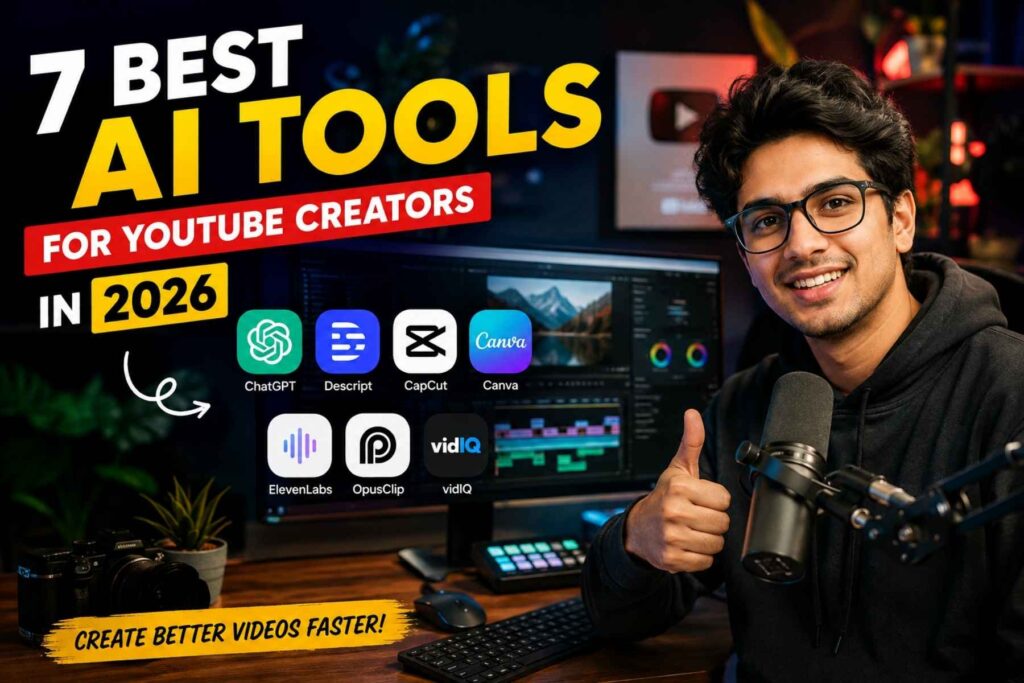
Creating a successful YouTube channel in 2026 is no longer just about recording a video and uploading it. Creators now have to research topics, write engaging scripts, edit footage, create thumbnails, improve audio, optimize titles, study audience behavior, and publish consistently.
For solo creators, managing all of these tasks can quickly become overwhelming.
This is where AI Tools for YouTube Creators can make a real difference. Instead of replacing the creative process, modern AI tools can handle repetitive work, speed up production, and help creators spend more time on ideas and storytelling.
The important thing is choosing the right tools for the right jobs. Some are excellent for editing, while others are designed for scripts, voiceovers, thumbnails, Shorts, or YouTube SEO.
In this guide, we will look at 7 of the best AI tools for YouTube creators in 2026, what each tool does best, who should use it, and how you can build a practical AI-powered YouTube workflow without making your content feel robotic.
Quick Answer: What Are the Best AI Tools for YouTube Creators?
The best AI tools depend on the part of your workflow you want to improve.
| AI Tool | Best For | Ideal User |
| ChatGPT | Ideas, research and scripts | Beginners and professional creators |
| Descript | AI-powered video editing | Talking-head and podcast creators |
| CapCut | Fast video editing and captions | Shorts and social creators |
| Canva | Thumbnails and visual content | Beginners and design-focused creators |
| ElevenLabs | AI voiceovers and narration | Faceless and voice-driven channels |
| OpusClip | Turning long videos into Shorts | Long-form creators |
| vidIQ | YouTube SEO and channel growth | Creators focused on discovery |
You do not need to subscribe to every tool on this list. A better approach is to choose two or three that solve your biggest production problems.
What Are AI Tools for YouTube Creators?
AI tools for YouTube creators are software applications that use artificial intelligence to assist with different parts of video production and channel management.
Depending on the platform, AI can help with tasks such as:
- Generating video ideas
- Creating script outlines
- Improving titles and descriptions
- Editing video and audio
- Removing filler words
- Generating captions
- Creating thumbnails
- Producing voiceovers
- Repurposing long videos into Shorts
- Researching YouTube keywords
- Analyzing channel performance
- Creating supporting visuals
The technology is becoming particularly useful for independent creators because many YouTubers work without editors, designers, writers, or dedicated SEO specialists.
Research into generative AI use on YouTube has also found that creators are using AI throughout the content workflow, including planning, scripting, visual creation, audio production, editing, and publishing.
However, AI should be treated as an assistant rather than a complete replacement for creative judgment. A tool can generate a script or suggest an edit, but the creator still needs to decide what is useful, accurate, original, and interesting for the audience.
1. ChatGPT: Best AI Tool for YouTube Ideas and Scripts
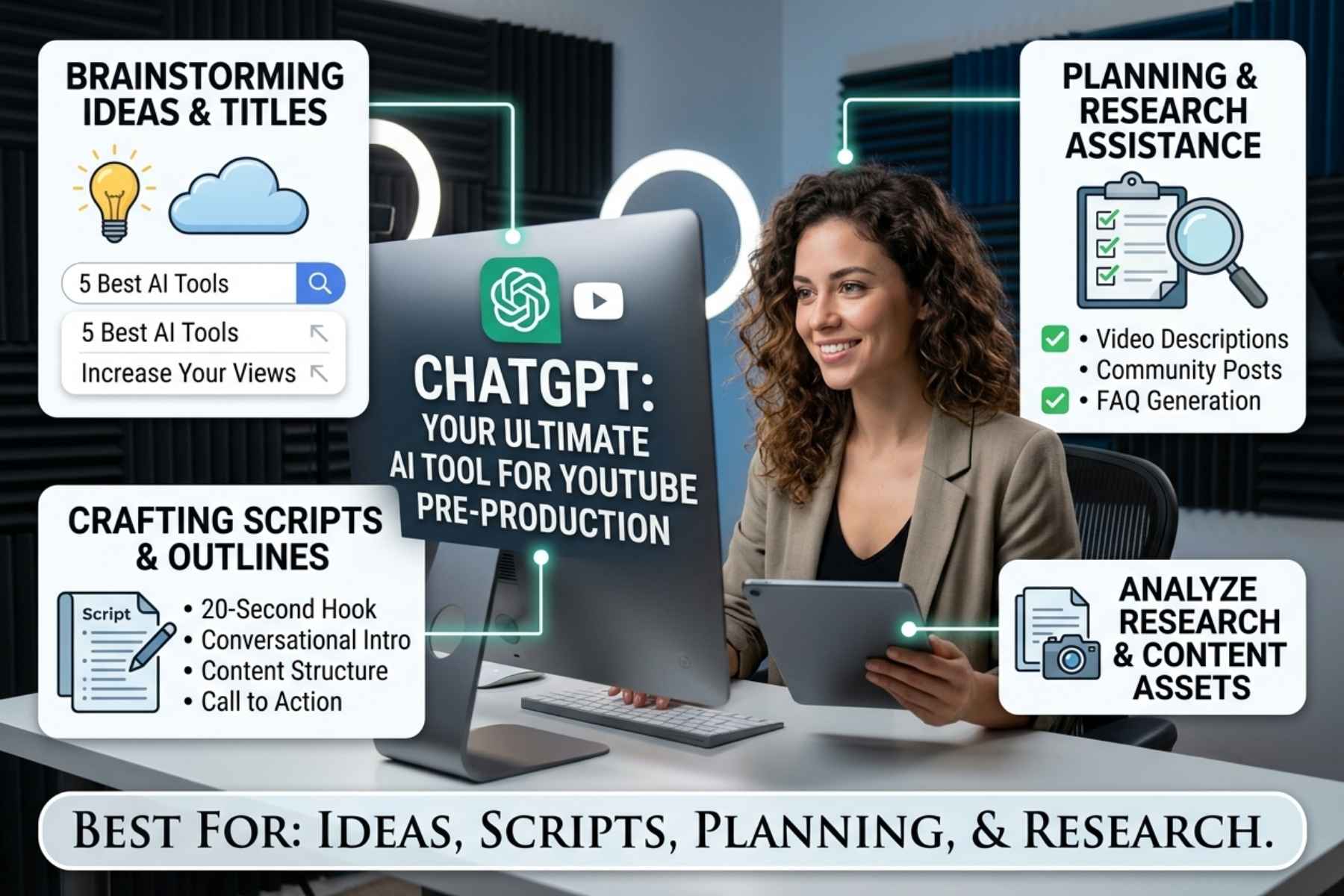
ChatGPT is one of the most versatile options for creators because it can support several stages of the content process.
It can help you move from a basic idea to a structured video plan without requiring multiple specialized tools.
What Can You Use ChatGPT For?
You can use it to brainstorm:
- YouTube video ideas
- Video hooks
- Script outlines
- Full script drafts
- Video titles
- Descriptions
- FAQs
- Interview questions
- Story structures
- Calls to action
- Community post ideas
ChatGPT can also analyze uploaded files and images on supported plans, which can be useful when working with research material, thumbnails, scripts, or other content assets. OpenAI describes ChatGPT as a general-purpose AI assistant for tasks including brainstorming, writing, planning, research-related work, and file or image analysis.
Why It Is Useful for YouTubers
The biggest advantage is flexibility.
For example, instead of asking: “Write me a YouTube script about AI.”
You can provide more useful instructions: “Create a 10-minute YouTube script explaining the best AI video editing tools for beginners. Start with a strong 20-second hook, keep the language conversational, include practical examples, and avoid exaggerated claims.”
The second prompt gives the AI a much clearer creative direction.
Best Use Case
ChatGPT is particularly useful during the pre-production stage.
A creator can use it to develop an idea, organize research, create an outline, improve the hook, and prepare a first draft before moving into recording and editing.
Potential Limitation
AI-generated scripts can sound generic when creators publish them without editing.
The best results usually come from adding your own experiences, examples, opinions, storytelling, and observations. That is what makes the final video feel like it came from a real creator rather than a content generator.
Best for: Ideas, scripts, research assistance and content planning.
2. Descript: Best for AI Video Editing
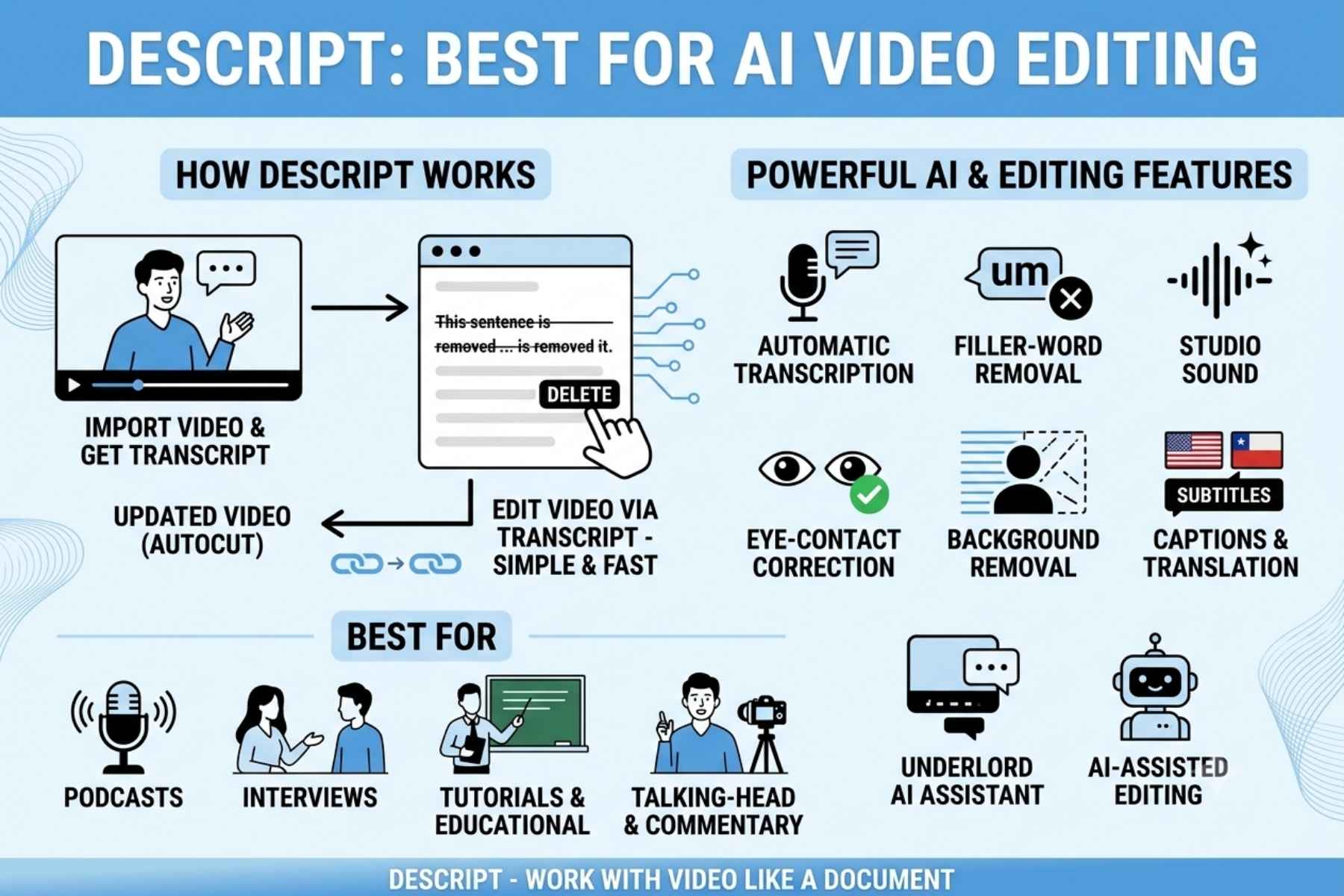
Descript takes a different approach to video editing. Instead of relying entirely on a traditional timeline, it allows creators to work with video through a transcript.
That can be especially useful for talking-head videos, interviews, tutorials, podcasts, and educational content.
Descript currently offers AI-assisted features for transcription, filler-word removal, audio enhancement, captions, translation, eye-contact correction, background removal, and other editing tasks.
How Descript Works
After importing your video, the platform can transcribe the spoken content.
You can then edit the transcript much like editing a document.
If you remove a sentence from the transcript, the corresponding part of the video can also be removed.
This can save considerable time when working with long recordings.
Useful Features for YouTube Creators
Some of the most useful capabilities include:
- Automatic transcription
- Text-based video editing
- Filler-word removal
- Studio Sound
- Captions
- Background removal
- Eye-contact correction
- Translation
- AI-assisted editing
- Video and podcast workflows
Descript also has an AI assistant called Underlord that can help with editing and content-related tasks.
Who Should Use Descript?
Descript is particularly appealing if your channel focuses on:
- Tutorials
- Interviews
- Podcasts
- Commentary
- Educational videos
- Talking-head content
- Screen recordings
If most of your videos contain a lot of spoken dialogue, editing through a transcript can feel much faster than manually searching through a timeline.
Best for: Long-form talking videos, podcasts, interviews and transcript-based editing.
3. CapCut: Best for Fast Editing and YouTube Shorts
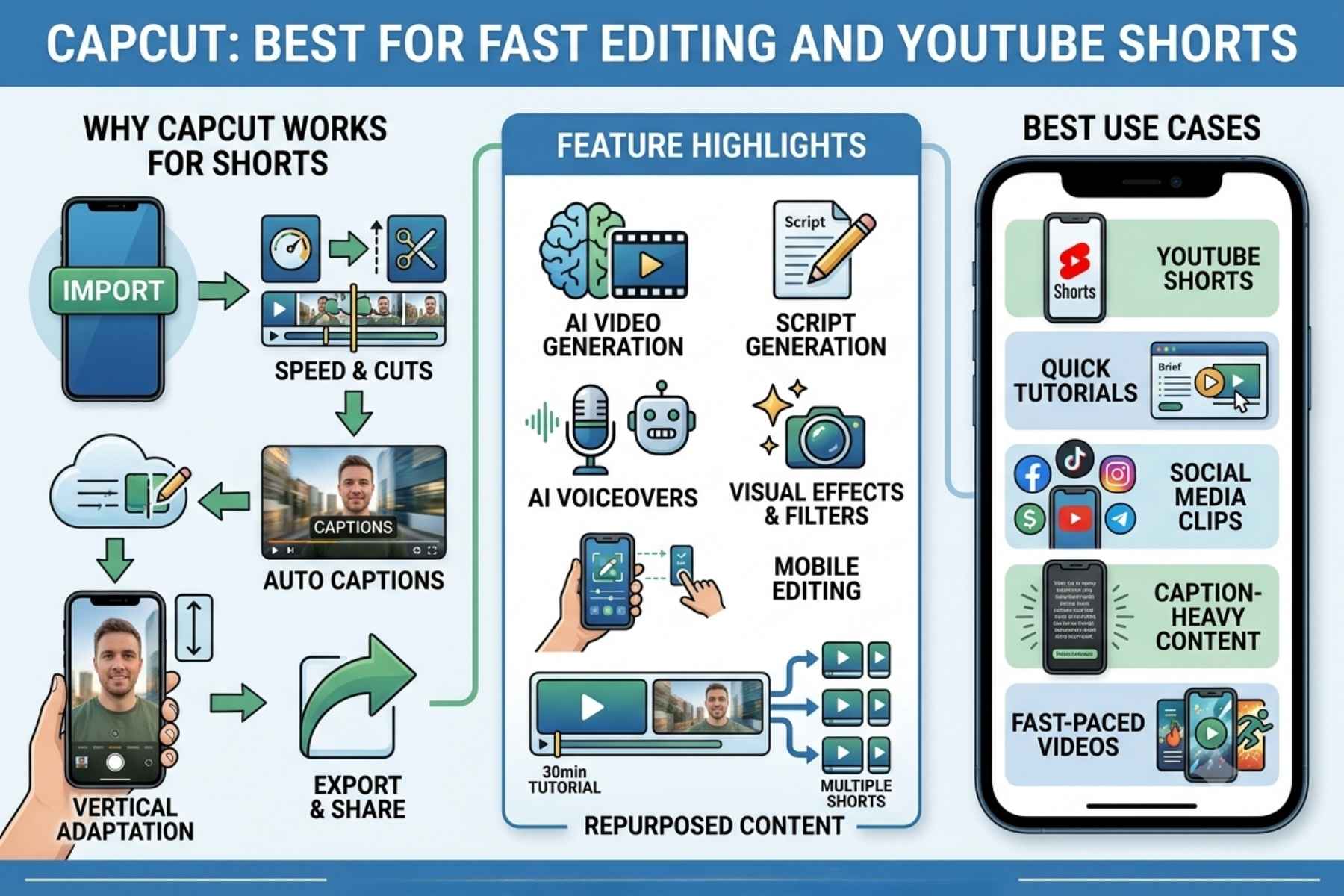
CapCut has become a popular choice for creators who want fast editing without dealing with a complicated professional editing environment.
Its AI video editor includes tools for generating content, creating scripts, adding captions, working with AI voiceovers, and building videos from ideas. Some features can vary by region and plan.
Why CapCut Works Well for YouTube Creators
Speed is one of its biggest advantages.
A creator working on Shorts can quickly:
- Import footage.
- Cut unnecessary sections.
- Add captions.
- Adjust the format for vertical video.
- Add music or sound.
- Apply visual effects.
- Export the finished clip.
CapCut also offers AI video generation features and integrations with newer video-generation models, giving creators more options for producing visual material.
Best Use Cases
CapCut is especially useful for:
- YouTube Shorts
- Quick tutorials
- Social media clips
- Fast-paced videos
- Caption-heavy content
- Mobile editing
- Repurposed content
It can also be useful when you want to turn a longer recording into multiple shorter pieces of content.
Where CapCut Fits Into an AI Workflow
Imagine you record a 30-minute tutorial.
You could use an AI assistant to identify potential highlights, then bring the selected footage into CapCut and create several short clips with captions and visual enhancements.
This can make one recording much more valuable.
Best for: Fast editing, captions, Shorts and social-first video production.
4. Canva: Best for YouTube Thumbnails and Visuals
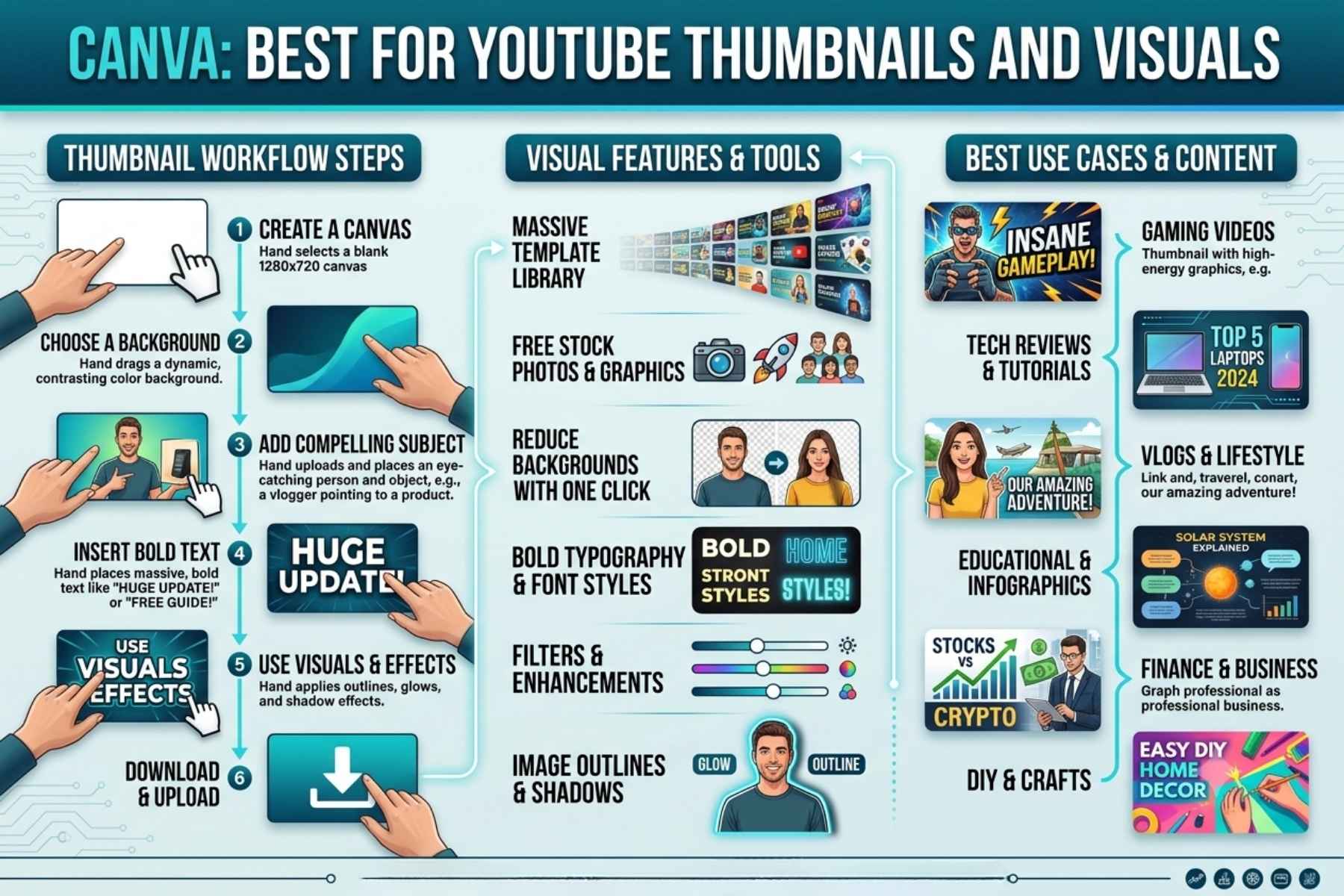
Canva is widely known as a graphic design platform, but its AI capabilities have expanded significantly.
For YouTube creators, Canva is particularly useful for thumbnails, channel graphics, presentations, social posts, and supporting visual assets.
Canva’s AI video tools can also generate video clips from text prompts and include synchronized audio such as dialogue and sound effects.
Why Thumbnails Matter
A great video can struggle if the thumbnail does not communicate the value of the content.
Your thumbnail should make the viewer understand the subject quickly while creating enough curiosity to encourage a click.
Canva can help creators build thumbnails using:
- Templates
- AI-generated visuals
- Background removal
- Text effects
- Images
- Shapes
- Branding elements
- Custom layouts
A Better Thumbnail Workflow
Instead of asking AI to completely design every thumbnail and publishing the first result, use AI as a starting point.
For example:
Step 1: Decide the main idea of the video.
Step 2: Create two or three visual concepts.
Step 3: Select the strongest composition.
Step 4: Add a short headline.
Step 5: Make sure the text remains readable on mobile screens.
Step 6: Compare different versions before publishing.
This gives you more control over the final design.
Who Should Use Canva?
Canva is a strong choice for creators who do not have professional graphic design experience but still want consistent visual branding.
It can also be useful for creating channel banners, social media graphics, presentation slides, and promotional images alongside YouTube thumbnails.
Best for: Thumbnails, channel branding and supporting visuals.
5. ElevenLabs: Best for AI Voiceovers
ElevenLabs is particularly useful for creators who need high-quality AI-generated narration.
The platform offers text-to-speech, voice creation, voice cloning, voice design, dubbing, and other audio capabilities. Its current platform supports a large voice library and multilingual voice generation.
Why Voice Quality Matters
Audio can make a significant difference to how professional a YouTube video feels.
Poor narration can make even good visuals difficult to watch.
For creators producing:
- Faceless videos
- Documentaries
- Explainer videos
- Educational content
- Storytelling channels
- Tutorials
- Product videos
AI voice generation can provide a practical alternative to recording every line manually.
How Creators Can Use It
A simple workflow could look like this:
Script → AI voiceover → video footage → editing → captions → final upload
You can adjust the narration style depending on the type of content.
For example, a documentary might require a calm and serious voice, while an educational Short may benefit from a faster and more energetic delivery.
ElevenLabs also supports voice cloning and voice design, giving creators more control over how narration sounds.
Important Consideration
Creators should be careful when cloning voices or using voices that belong to other people. Always make sure you have the appropriate rights and permission.
AI-generated narration should also be reviewed for pronunciation, pacing, and factual accuracy before publication.
Best for: Narration, faceless videos, dubbing and voice-driven content.
6. OpusClip: Best for Turning Long Videos Into Shorts
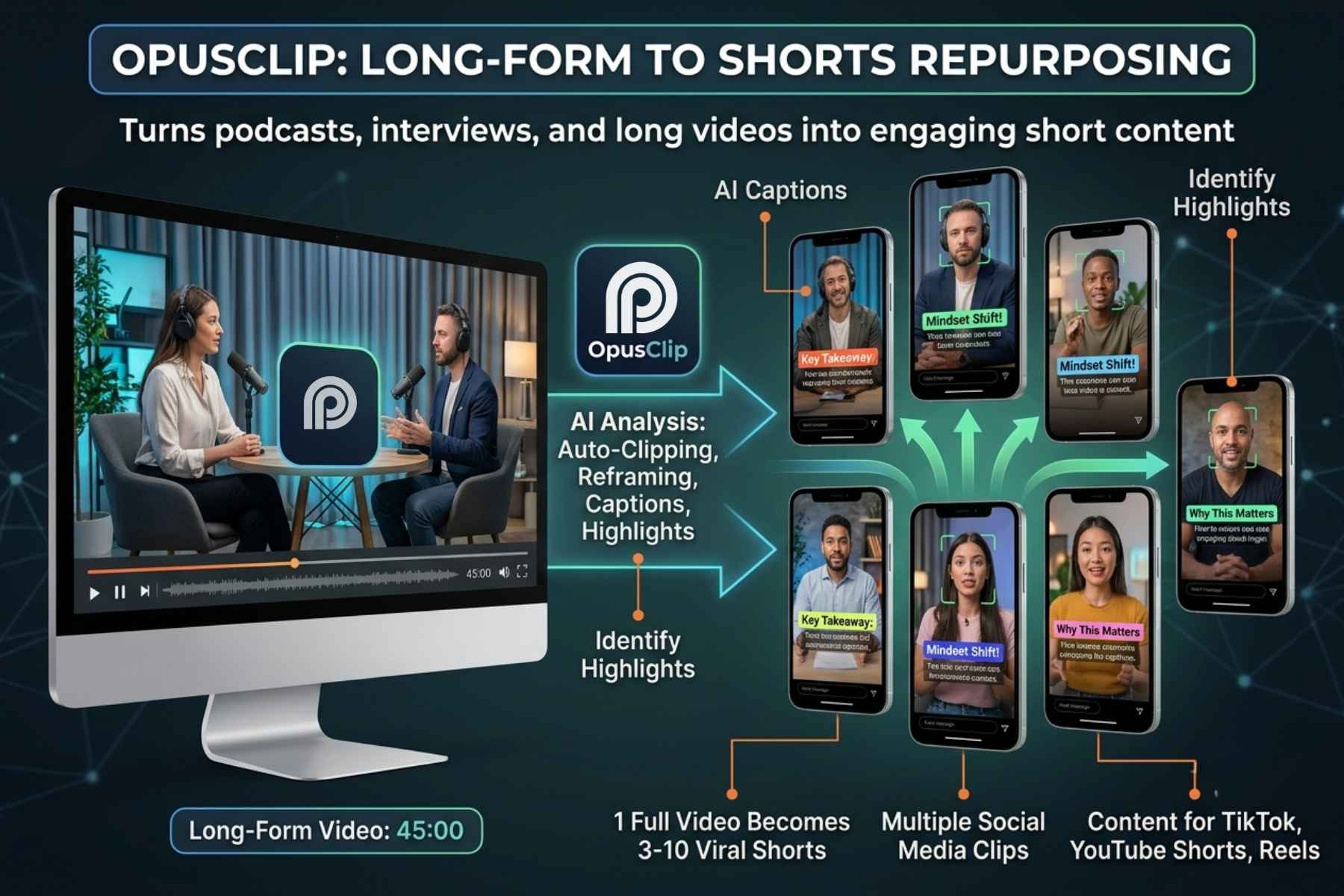
OpusClip solves a very specific problem: turning long-form content into shorter clips.
If you already publish podcasts, interviews, webinars, tutorials, or long YouTube videos, this can help you get more content from the footage you already created.
OpusClip analyzes long videos and provides AI-powered clipping, captions, reframing, B-roll, audio enhancement, and other features designed around short-form repurposing.
Why Repurposing Matters
Imagine you publish a 45-minute podcast.
Traditionally, you might need to watch the entire recording again, identify interesting moments, manually cut clips, resize them, add captions, and export each one.
That process can take hours.
An AI clipping tool can accelerate the initial selection process.
You can then review the suggested clips and make final adjustments yourself.
A Practical Repurposing Strategy
One long video could potentially become:
- 1 full YouTube video
- 3 to 10 Shorts
- Several social media clips
- Quote graphics
- Community post ideas
- Blog content
- Newsletter material
The exact number depends on the subject and quality of the original recording.
Who Benefits Most?
OpusClip makes the most sense for creators who already have a library of long-form content.
It is less useful if your entire channel consists of short videos that are already created specifically for vertical platforms.
Best for: Long-form-to-Shorts repurposing.
7. vidIQ: Best for YouTube SEO and Channel Research
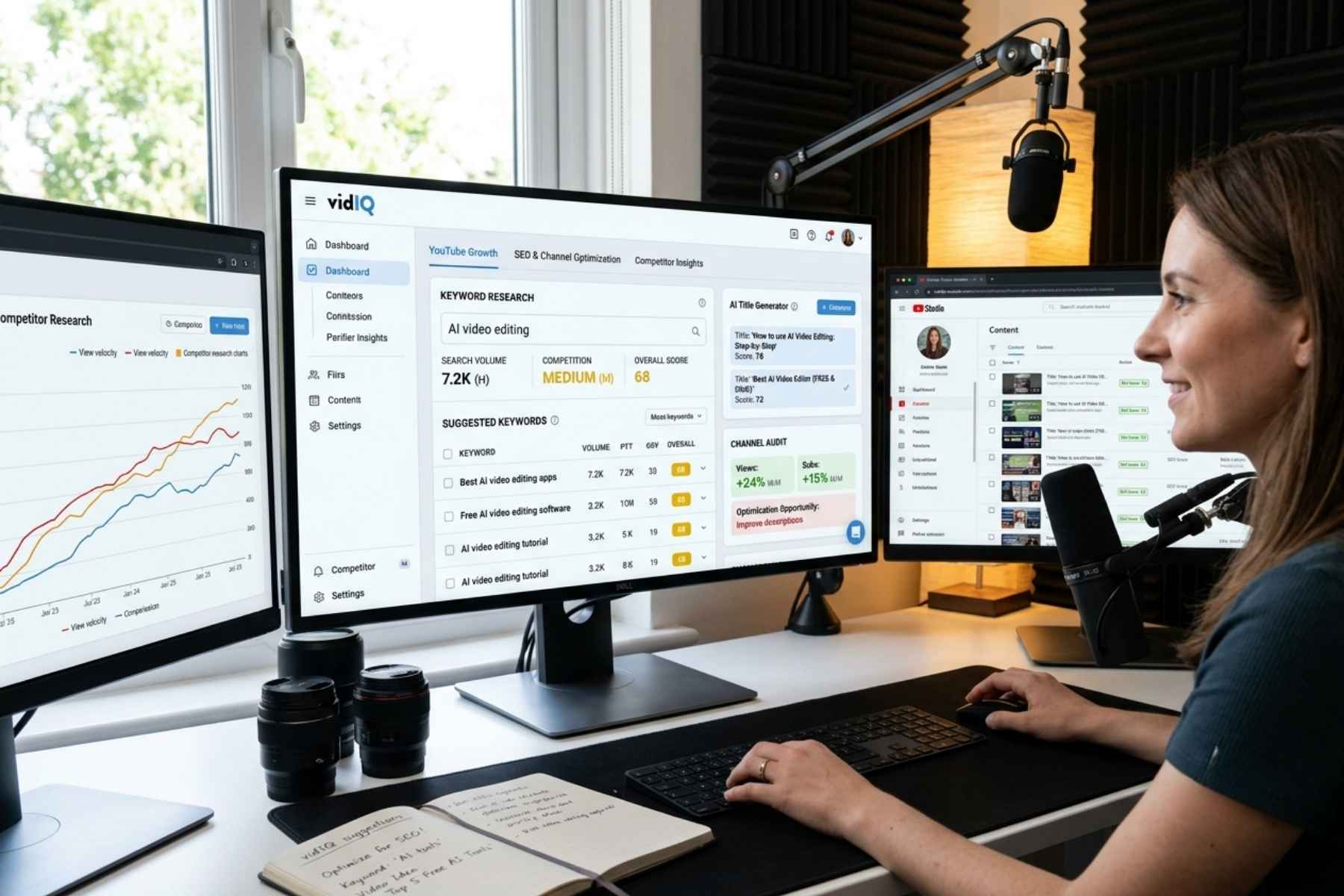
vidIQ focuses specifically on YouTube growth, making it different from general-purpose AI assistants.
Its tools cover keyword research, video ideas, titles, descriptions, channel analysis, optimization, competitor research, and other creator-focused tasks.
Why YouTube SEO Matters
Creating a good video is only one part of the equation.
People still need to discover it.
YouTube SEO can help creators understand what viewers are searching for and how their content can be positioned around those searches.
vidIQ’s keyword tools provide information such as estimated search demand, competition, trends, and related keyword suggestions.
What Can vidIQ Help With?
Depending on the features available to your account, you can use it for:
- Keyword research
- Video ideas
- Title generation
- Description optimization
- Thumbnail analysis
- Channel audits
- Competitor research
- Content planning
- Video optimization
- Shorts clipping
Its AI Coach is also designed to use channel-specific information to provide more personalized recommendations than a generic AI assistant.
Best Use Case
Suppose you want to create a video about “AI video editing.”
Instead of choosing a title randomly, you can research related YouTube search terms and compare potential topics.
You can then use that information to develop a title, description, thumbnail concept, and video structure.
This makes vidIQ particularly valuable during the research and optimization stage of the YouTube workflow.
Best for: YouTube SEO, keyword research, ideas and channel optimization.
AI Tools for YouTube Creators: Which One Should You Choose?
There is no single tool that is perfect for every creator.
Your choice should depend on your content format and biggest bottleneck.
For Beginners
Start with: ChatGPT + Canva + CapCut
This combination can cover:
- Ideas
- Scripts
- Basic research
- Thumbnails
- Video editing
- Captions
- Shorts
It gives beginners a relatively simple starting point without building an overly complicated workflow.
For Faceless YouTube Channels
A useful combination is:
ChatGPT + ElevenLabs + CapCut + Canva
ChatGPT can assist with the script, ElevenLabs can produce narration, Canva can create visuals and thumbnails, and CapCut can bring everything together.
For Podcast Creators
Try: Descript + OpusClip + Canva
Descript can simplify the main editing process, OpusClip can help repurpose long recordings into shorter videos, and Canva can handle thumbnails and promotional graphics.
For YouTube SEO
Consider: vidIQ + ChatGPT
vidIQ can provide YouTube-specific research and channel insights, while ChatGPT can help turn those insights into scripts, outlines and content variations.
How to Build an AI-Powered YouTube Workflow
Using seven different platforms does not automatically make a channel more efficient.
In fact, constantly switching between tools can create another problem.
A better approach is to give each tool a specific responsibility.
Step 1: Find a Strong Topic
Start by identifying a topic that is relevant to your audience.
Use YouTube search suggestions, competitor research, audience questions, and tools such as vidIQ to identify potential opportunities.
Do not choose a topic only because an AI tool says it may get views.
Ask whether your audience genuinely cares about it.
Step 2: Develop the Video Idea
Once you have a topic, use ChatGPT to explore different angles.
Ask for:
- Possible hooks
- Different video structures
- Questions viewers may have
- Beginner and advanced angles
- Examples to include
Then choose the angle that best fits your audience.
Step 3: Write the Script
Create a structured script instead of blindly accepting a complete AI-generated article.
A useful YouTube script normally needs:
- A strong opening
- A clear promise
- Logical sections
- Examples
- Natural transitions
- A useful conclusion
- A relevant call to action
Most importantly, add your own experience and perspective.
Step 4: Record the Video
If you appear on camera, record naturally.
If your channel uses narration, you can produce a voiceover using a suitable voice tool.
Do not let AI remove the personality from your content.
Step 5: Edit the Video
Use Descript for transcript-based editing or CapCut for fast visual editing and Shorts.
Remove unnecessary pauses, repetitive sections, poor takes, and distracting elements.
AI can speed this process up, but you should still watch the final result from beginning to end.
Step 6: Create the Thumbnail
Use Canva to develop several thumbnail concepts.
Keep the design simple.
A thumbnail normally works better when the viewer can understand the central idea within a second or two.
Step 7: Optimize the Upload
Use YouTube SEO tools to research keywords and improve your title and description.
But do not turn the title into a list of keywords.
A natural title that clearly communicates the video’s value is usually better than a title written entirely for search engines.
Step 8: Repurpose the Content
After publishing the main video, look for useful sections that can become Shorts.
OpusClip or similar tools can accelerate this process.
The goal is not to publish every possible clip.
Choose the clips that work independently and provide value without requiring viewers to watch the entire original video.
Can AI Replace a YouTube Creator?
Not really.
AI can automate many repetitive tasks, but successful YouTube content still depends heavily on human decisions.
Viewers do not subscribe to a channel simply because it uses advanced software.
They subscribe because they find the creator useful, entertaining, trustworthy, informative, or relatable.
AI can help you produce content faster, but it cannot automatically create your unique perspective.
That is why the strongest approach is AI-assisted content creation, not completely automated content.
Use AI for efficiency while keeping human control over:
- Topic selection
- Opinions
- Storytelling
- Accuracy
- Final editing
- Brand voice
- Audience relationships
This is also important for creators who want to build a sustainable channel rather than simply publish large volumes of automatically generated videos.
Are AI Tools Good for YouTube Monetization?
AI tools themselves do not guarantee YouTube monetization.
Using AI to assist with scripts, editing, thumbnails, voiceovers, or other production tasks does not automatically make a channel successful.
The bigger issue is the quality and originality of the final content.
Creators should avoid publishing large amounts of low-effort, repetitive material simply because AI makes production faster.
A monetizable channel still needs content that provides genuine value to viewers and follows YouTube’s current policies.
For that reason, AI should be treated as a production assistant rather than an automatic content business.
Free vs Paid AI Tools for YouTube
You do not necessarily need expensive subscriptions when starting a channel.
Many platforms provide free plans, limited features, or trial access.
A beginner can build a basic workflow using free or low-cost options and upgrade only when a specific limitation starts affecting production.
For example:
Starter workflow
ChatGPT → ideas and scripts
Canva → thumbnails
CapCut → editing
Growing channel
Add vidIQ → research and optimization
Add Descript → advanced editing
Add OpusClip → Shorts repurposing
Advanced workflow
Add ElevenLabs → professional AI narration
Combine multiple specialized tools based on your content format
This approach is usually more practical than paying for seven subscriptions from day one.
Common Mistakes When Using AI for YouTube
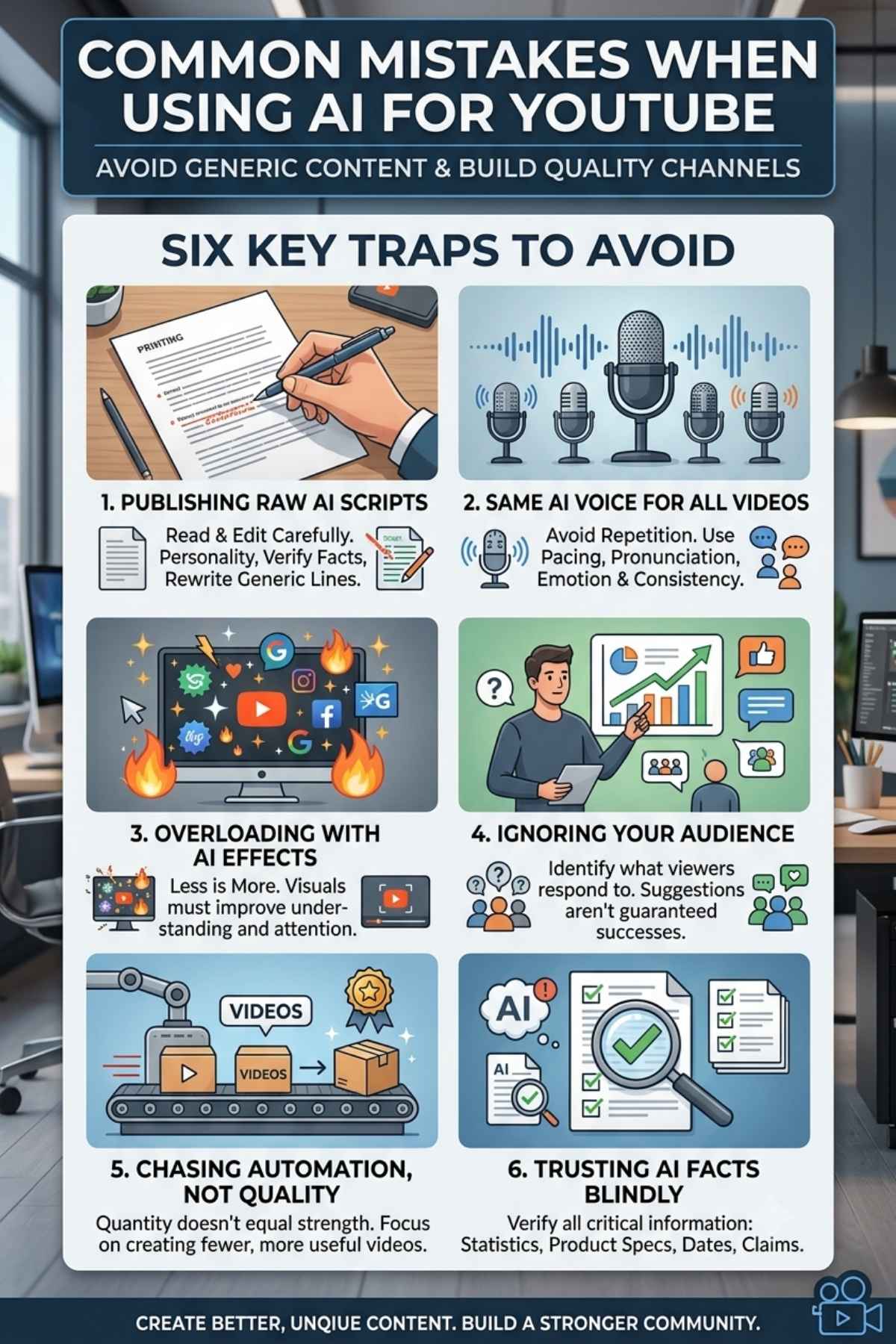
AI can save time, but poor implementation can make a channel feel generic.
Here are some mistakes worth avoiding.
1. Publishing AI Content Without Editing
Never assume the first AI-generated script is ready for publication.
Read it carefully.
Remove unnecessary sentences, add personal examples, verify facts, and rewrite sections that sound unnatural.
2. Using the Same AI Voice for Everything
An overly recognizable synthetic voice can make videos feel repetitive.
If you use AI narration, focus on pacing, pronunciation, emotion, and consistency.
3. Overloading Videos With AI Effects
More effects do not automatically mean better videos.
Use visual effects when they improve understanding or attention.
4. Ignoring the Audience
AI can suggest dozens of topics, but your audience decides what is worth watching.
Look at your existing videos and identify what viewers actually respond to.
5. Chasing Automation Instead of Quality
Automation can increase output, but quantity alone does not build a strong channel.
One useful video can be more valuable than ten low-quality uploads.
6. Trusting AI With Important Facts
AI systems can make mistakes.
Verify statistics, product specifications, dates, claims, quotes, and other important information before publishing.
This is especially important for technology, finance, health, legal, and news-related content.
Final Verdict: The Best AI Tools for YouTube Creators in 2026
The YouTube creator workflow has changed significantly. You no longer need a large production team to handle every stage of video creation.
The right AI tools can help a solo creator research ideas, develop scripts, edit videos, create thumbnails, generate narration, produce Shorts, and optimize content.
But the best results come from using these tools strategically.
ChatGPT: is excellent for ideas and scripts.
Descript: is strong for transcript-based editing.
CapCut: is useful for fast editing and Shorts.
Canva: makes thumbnails and visual design easier.
ElevenLabs: is a strong option for AI narration.
OpusClip: helps turn long-form videos into short clips.
vidIQ: focuses on YouTube SEO, research, and channel growth.
If you are just starting, you do not need all seven.
Begin with the tool that solves your biggest problem. Once your workflow becomes more consistent, add another tool where it can genuinely save time or improve quality.
The real advantage of AI Tools for YouTube Creators is not simply producing more videos. It is giving creators more time to focus on the parts AI cannot replace easily: ideas, creativity, personality, storytelling, and understanding their audience.
Frequently Asked Questions
What are the best AI tools for YouTube creators in 2026?
Some of the strongest options include ChatGPT for scripts and ideas, Descript for editing, CapCut for fast video production, Canva for thumbnails, ElevenLabs for voiceovers, OpusClip for Shorts, and vidIQ for YouTube SEO and research.
Can AI tools create a complete YouTube video?
Some AI platforms can automate large parts of video production, including scripts, visuals, voiceovers, and editing. However, creators should review and customize the final result to improve accuracy, originality, and audience value.
What is the best AI tool for YouTube Shorts?
There is no universal winner, but OpusClip is particularly useful for turning long-form videos into Shorts, while CapCut is useful for editing and polishing short-form content.
Which AI tool is best for YouTube thumbnails?
Canva is one of the easiest options for creating YouTube thumbnails, especially for beginners. It provides templates, design tools, AI features, and other visual resources.
Can AI help a small YouTube channel grow?
Yes, AI can help reduce production time and improve research, scripting, editing, thumbnails, and optimization. However, AI cannot guarantee views or subscribers. Growth still depends on content quality, audience demand, consistency, packaging, and viewer satisfaction.
Are AI-generated YouTube videos allowed?
AI-assisted content can be used on YouTube, but creators should follow YouTube’s current policies and avoid low-quality, repetitive, misleading, or otherwise policy-violating content. Always review the latest official YouTube monetization and content guidelines before building a channel around AI-generated production.
Conclusion
AI is changing how YouTube videos are planned, produced, edited, and distributed.
For creators, the biggest opportunity is not to let AI do everything. It is to use AI to remove repetitive work while keeping human creativity at the center of the channel.
Whether you need help writing your next script, editing a long recording, creating a thumbnail, generating narration, finding Shorts, or researching YouTube keywords, there is now an AI tool designed to make that part of the workflow easier.
Start small, measure what actually saves you time, and build your workflow around the tools that genuinely improve your content.
That is the smarter way to use AI Tools for YouTube Creators in 2026.
Explore More: Meta AI Tool 2026: Complete Guide to Features, Uses & How to Make Money