The Future of Video Creation Is Already Here
Imagine typing a simple sentence like: “A cinematic drone shot flying over a futuristic neon city at sunset.”
Within seconds, you have a smooth, hyper-realistic video clip that looks like it came from a professional film studio.
This is no longer science fiction.
In 2026, AI video generation has evolved dramatically and at the center of this revolution stands Luma AI Dream Machine, one of the most advanced and realistic AI video generators available today.
From content creators and YouTubers to marketers and filmmakers, everyone is exploring AI-driven video production. But not all tools are created equal. While many platforms offer text-to-video features, few can deliver cinematic motion, realistic physics, and natural camera movement like this platform does.
In this comprehensive guide, we’ll break down everything you need to know about how it works, its features, real-world applications, pricing, pros and cons, comparisons, and whether it truly deserves the title of the most realistic AI video tool of 2026.
Let’s dive in.
The Rise of AI Video Generation in 2026
Over the past few years, artificial intelligence has transformed content creation. What began with AI text tools quickly expanded into image generation, voice synthesis, and now fully dynamic video production.
Why is AI video exploding right now?
- Social media demands more short-form video
- YouTube automation is growing globally
- Businesses need affordable video marketing
- Production costs are rising
- Creators want speed without sacrificing quality
Traditional video production requires:
- Cameras
- Lighting
- Actors
- Editing software
- Rendering time
- Budget
AI removes most of these barriers.
Tools like Runway, Pika, and others entered the market but what truly changed the game was the ability to generate realistic motion with physical coherence, not just animated slideshows.
That’s where Luma AI changed expectations.
What Is Luma AI Dream Machine?

Luma AI Dream Machine is an advanced AI-powered video generation system designed to convert text prompts and images into highly realistic, fluid video clips.
Unlike early AI video tools that produced distorted motion or unnatural transitions, this platform focuses on:
- Cinematic camera movements
- Realistic lighting behavior
- Natural object motion
- Physics-aware scene transitions
- High-quality rendering consistency
The system uses large-scale video models trained on motion dynamics, scene composition, and temporal consistency. Instead of generating random frames stitched together, it predicts motion in a way that feels natural to the human eye.
That difference is critical.
What Makes It Different From Other AI Video Tools?
Most AI video tools struggle with:
- Warped objects
- Flickering faces
- Inconsistent lighting
- Broken physics
- Sudden scene jumps
The breakthrough behind Luma AI lies in motion understanding.
Rather than just generating static frames, it predicts how objects should move over time. This creates smoother transitions and a more believable visual experience.
Here’s what sets it apart:
1. Motion Consistency
Objects maintain structure across frames.
2. Realistic Camera Movement
The AI simulates professional cinematography pans, zooms, and tracking shots.
3. Scene Coherence
Lighting and shadows stay consistent as the camera moves.
4. Faster Rendering
Optimized AI architecture reduces waiting time.
5. Text + Image Hybrid Generation
You can generate videos from pure text or animate existing images.
How Luma AI Dream Machine Works
While the technical backend involves complex neural networks, here’s a simplified explanation:
- You input a text prompt.
- The system interprets scene structure.
- It predicts object placement.
- It simulates motion trajectories.
- It renders video frames with temporal consistency.
- Frames are stitched into a smooth clip.
Instead of treating video as separate images, it treats it as motion over time.
That’s why the results feel cinematic rather than mechanical.
Core Features of Luma AI Dream Machine
Let’s break down the most powerful features in detail.
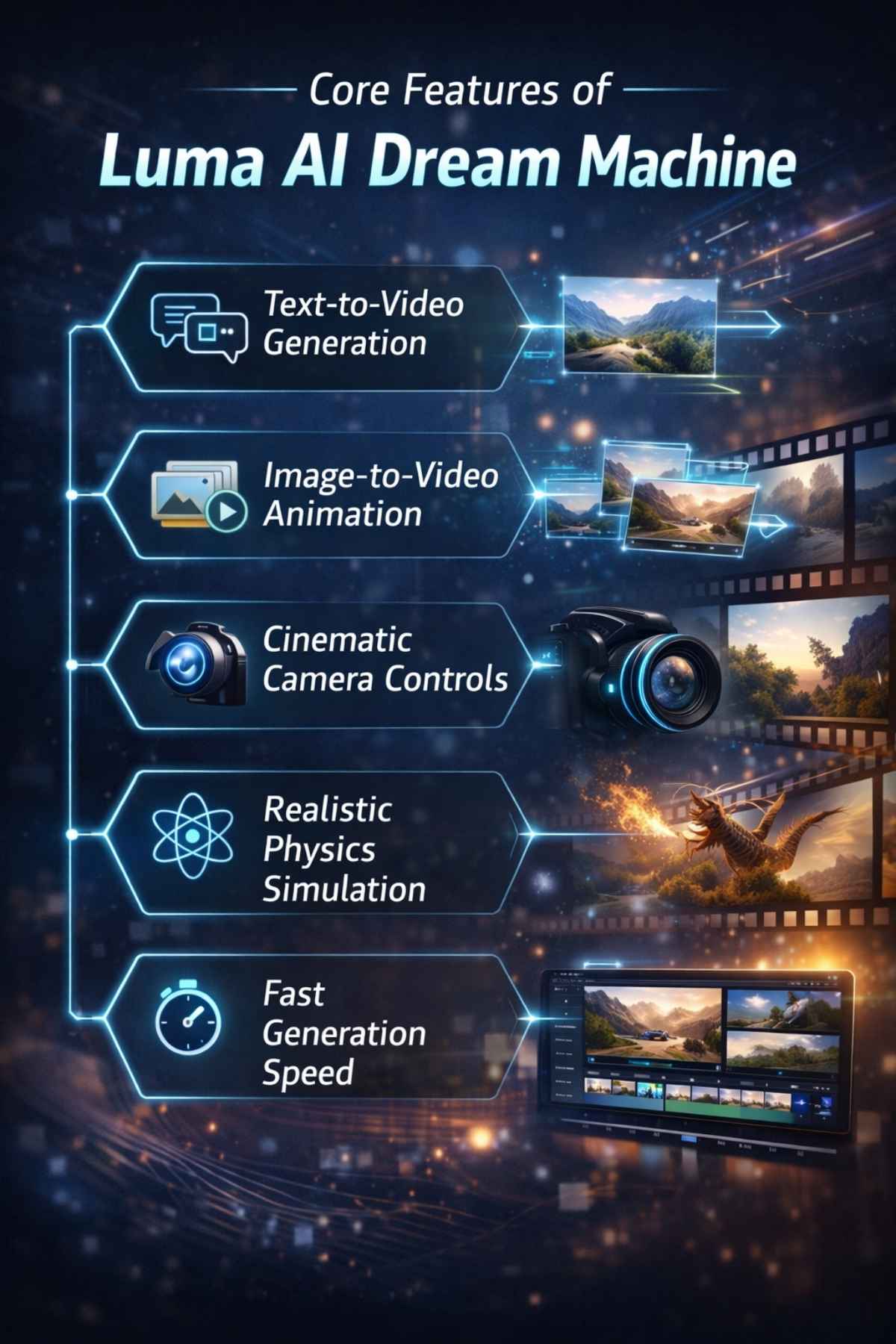
1. Text-to-Video Generation
You type a descriptive prompt, such as: “A slow-motion shot of ocean waves crashing against a rocky cliff at golden hour.”
Within seconds, the system produces a short cinematic clip with natural water movement and realistic lighting.
The more detailed your prompt, the better the output.
2. Image-to-Video Animation
Upload a static image and animate it.
For example:
- Turn AI artwork into a moving scene
- Add camera motion to a landscape photo
- Animate product shots for ads
This is especially powerful for marketers.
3. Cinematic Camera Controls
The system simulates:
- Tracking shots
- Dolly zoom
- Slow pans
- Depth-based focus shifts
This makes generated videos feel professionally directed.
4. Realistic Physics Simulation
- Water flows naturally.
- Smoke behaves like smoke.
- Clothes move with believable motion.
Physics realism is where many tools fail but here, motion feels grounded.
5. Fast Generation Speed
Speed matters in content creation.
Instead of waiting hours for rendering, creators can generate clips within minutes making it ideal for fast-paced content production.
Who Is Luma AI Dream Machine For?
This tool isn’t just for tech enthusiasts.
It serves multiple audiences:
Content Creators
Generate YouTube B-roll, cinematic backgrounds, short-form reels.
Digital Marketers
Create product ads without hiring production teams.
Filmmakers
Prototype scenes before full production.
Educators
Produce engaging visual content.
Game Designers
Create environment previews and motion tests.
Why Realism Matters in AI Video
Viewers are becoming more sophisticated.
If motion looks fake, engagement drops.
Hyper-realistic video increases:
- Watch time
- Trust
- Brand authority
- Viewer retention
That’s why tools focusing on realism, not just automation, are winning in 2026.
And this is precisely why Luma AI stands out in competitive comparisons.
Is It Beginner-Friendly?
Yes, surprisingly so.
You don’t need:
- Video editing skills
- Animation experience
- Coding knowledge
The interface is prompt-based, making it accessible for beginners while still powerful enough for professionals.
How to Write Powerful Prompts for Luma AI
The difference between average and professional-level output often comes down to prompt clarity.
A weak prompt might look like this: “A city at night.”
A powerful prompt looks like this: “A cinematic drone shot flying over a futuristic cyberpunk city at night, neon reflections on wet streets, soft fog in the air, slow tracking camera movement, 4K ultra-realistic lighting.”
Notice the difference?
The second prompt defines:
- Camera angle
- Lighting
- Mood
- Motion
- Environment details
- Resolution quality
When using Luma AI, specificity improves realism.
The Ideal Prompt Formula
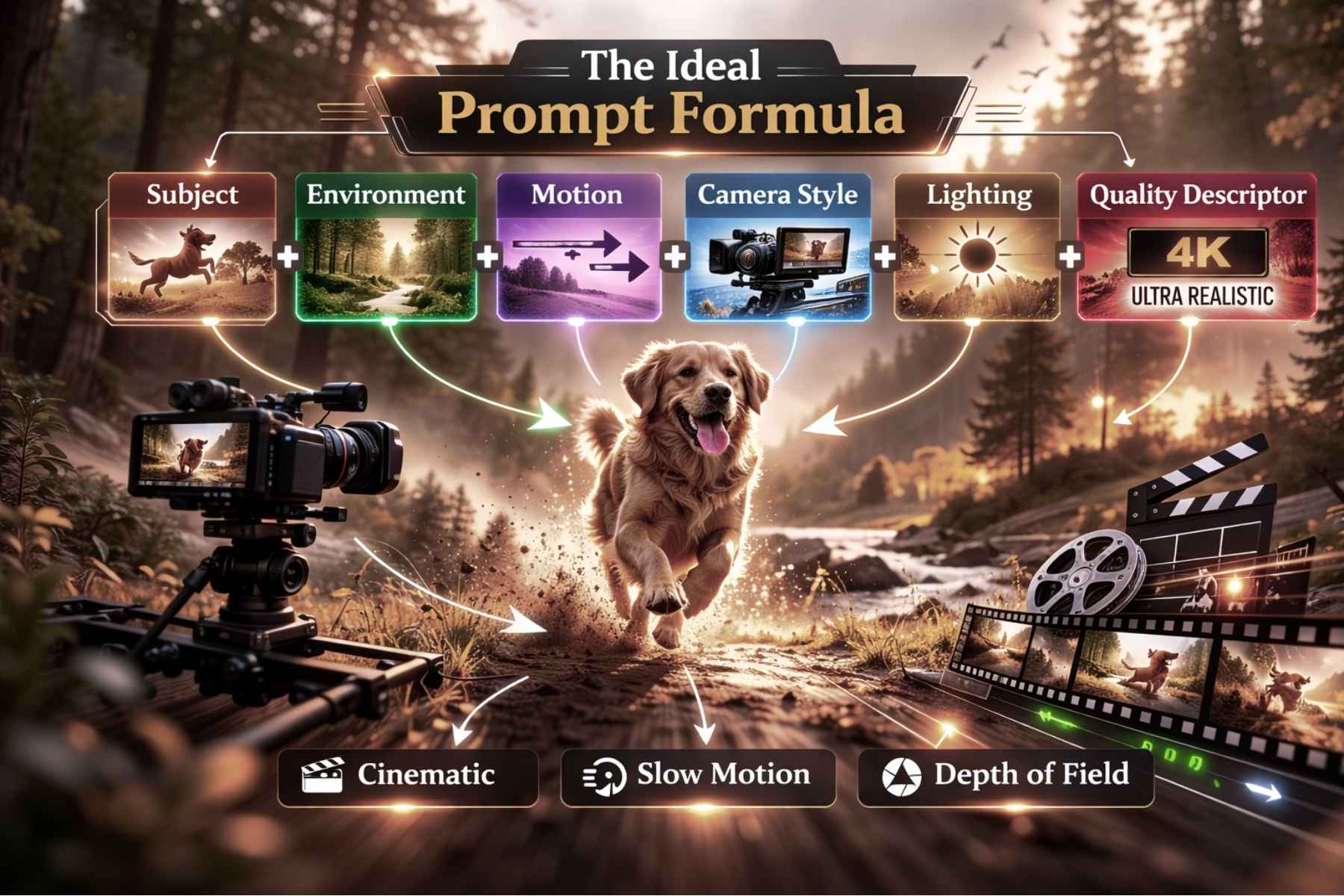
To get consistent cinematic output, follow this structure:
Subject + Environment + Motion + Camera Style + Lighting + Quality Descriptor
Example: “A close-up shot of a golden retriever running through a sunlit forest, slow-motion tracking shot, warm golden-hour lighting, shallow depth of field, ultra-realistic cinematic style.”
This structure helps the model interpret both scene and movement clearly.
Advanced Prompt Engineering Techniques
If you want professional-level results, apply these strategies:
1. Define Camera Movement Explicitly
Instead of saying “moving camera,” specify:
- Slow pan left
- Aerial drone shot
- Steady handheld feel
- Dolly zoom effect
This dramatically improves realism.
2. Add Temporal Dynamics
Mention how motion evolves:
- “Wind gradually increases”
- “Fog slowly rolls in”
- “Water splashes naturally”
This encourages smooth frame transitions.
3. Use Cinematic Keywords
Include descriptors like:
- Cinematic
- Photorealistic
- Ultra-detailed
- Shallow depth of field
- HDR lighting
- 4K realism
These help the system aim for higher fidelity visuals.
4. Keep Prompts Focused
Overloading prompts can reduce coherence.
Avoid mixing too many subjects in one scene.
For example:
Bad: “A dragon, spaceship, ocean, city, forest, robots fighting in rain.”
Good: “A massive dragon flying over a medieval castle during a thunderstorm, dramatic lightning flashes, slow aerial camera sweep.”
Clarity produces better motion consistency.
Common Mistakes to Avoid
Even though Luma AI is advanced, certain mistakes reduce output quality.
1. Being Too Vague
Generic prompts lead to generic results.
2. Ignoring Motion Instructions
Since this is a video model, movement matters as much as visuals.
3. Unrealistic Physics Demands
Asking for impossible physics may break coherence.
4. Overcomplicating Scenes
Keep scenes visually manageable.
Quality Optimization Tips
If you want to maximize realism:
Use Shorter, Focused Clips
Shorter prompts often yield more consistent motion.
Regenerate Multiple Versions
Small variations can produce better results.
Refine Prompts Iteratively
Treat it like directing a scene, adjust until satisfied.
Combine With Editing Software
For professionals, exporting clips into editing tools enhances final output.
Real-World Use Cases
Let’s explore practical applications where Luma AI shines.

YouTube Automation
Creators can generate:
- Cinematic intros
- Background visuals
- B-roll footage
- Storytelling animations
This reduces dependency on stock footage.
Social Media Marketing
Brands can create:
- Product teaser clips
- Animated ads
- Engaging short-form videos
Without expensive production crews.
Film Previsualization
Filmmakers use AI video to:
- Plan camera angles
- Test lighting concepts
- Visualize scenes before shooting
This saves time and budget.
E-Commerce Product Videos
Upload product images and animate them with dynamic camera motion to create engaging ad creatives.
Educational Content
Teachers and trainers can generate:
- Visual demonstrations
- Historical reenactments
- Science concept animations
AI dramatically lowers production barriers.
Limitations You Should Know
No AI tool is perfect.
While Luma AI produces impressive realism, there are some limitations:
- Clip length may be limited.
- Extremely complex scenes can reduce coherence.
- Facial animation consistency may vary.
- Heavy commercial usage may require higher-tier plans.
Understanding limitations helps set realistic expectations.
Is Luma AI Suitable for Professionals?
Absolutely but with strategy.
Professional creators use it for:
- Concept development
- Creative ideation
- Rapid content scaling
However, final production may still require traditional editing refinement.
Pricing Structure: What to Expect

While pricing models may vary depending on region and updates, most AI video tools follow a tier-based subscription structure.
Typically, plans are divided into:
1. Free Tier (Limited Access)
- Limited generations per month
- Watermarked output
- Slower rendering speed
- Restricted resolution
This tier is ideal for testing the platform.
2. Creator Plan (Entry-Level Paid)
- Higher monthly generation limit
- Faster processing
- HD export
- No watermark
- Basic commercial rights
Suitable for YouTubers and freelancers.
3. Pro Plan (Advanced Users)
- Priority rendering
- Higher resolution output
- Extended clip length
- Commercial licensing
- Batch generation
Designed for agencies and content studios.
4. Enterprise Plan
- Custom API access
- Dedicated rendering resources
- Team collaboration
- Full commercial licensing
- Integration capabilities
Best for media companies and large-scale brands.
Is It Worth the Cost?
When comparing AI tools, value matters more than price.
Consider traditional video production costs:
- Camera equipment
- Actors
- Lighting
- Editing software
- Studio rental
- Post-production
Even a basic commercial shoot can cost thousands of dollars.
By contrast, AI video generation reduces production costs dramatically. For many creators, even a mid-tier subscription quickly pays for itself after a few projects.
From a return-on-investment perspective, Luma AI offers significant value for content creators who rely heavily on video output.
Performance & Speed Analysis
Speed is critical in modern content creation.
A major advantage of AI-driven platforms is rapid rendering compared to traditional workflows.
Performance factors include:
- Prompt processing speed
- Frame coherence
- Motion stability
- Rendering time
- Output resolution
Compared to early-generation AI video tools, motion realism and scene consistency have improved dramatically in 2026.
Where older systems struggled with flickering and distorted objects, newer models deliver smoother motion transitions and better lighting consistency.
For creators working on tight deadlines, faster generation translates to higher productivity.
Output Quality & Realism
Realism is what separates premium tools from average ones.
Key realism indicators include:
- Natural lighting behavior
- Consistent object proportions
- Believable physics simulation
- Smooth camera motion
- Stable character rendering
In side-by-side comparisons, many users report that motion coherence and depth simulation are noticeably improved.
The cinematic feel is especially strong when prompts include camera direction and lighting detail.
This is where Luma AI consistently stands out in user evaluations.
Competitor Comparison (2026)
Let’s compare major AI video platforms in the market today.
1. Runway
Runway is well-known for AI-powered video editing and generative tools. It excels in post-production capabilities and creative editing workflows.
Strengths:
- Strong editing features
- Green screen AI tools
- Frame manipulation
Limitations:
- Sometimes inconsistent motion realism
- Advanced features locked behind higher plans
2. Pika Labs
Pika Labs focuses heavily on stylized and creative animation.
Strengths:
- Quick generation
- Creative animation styles
Limitations:
- Less cinematic realism
- Motion can appear artificial in complex scenes
3. Sora
Sora has generated significant attention due to its high-quality outputs and extended video duration capabilities.
Strengths:
- Advanced long-form generation
- Strong storytelling visuals
Limitations:
- Limited access
- Enterprise-focused availability
Where Luma AI Stands
In comparison:
- Strong motion consistency
- Cinematic camera simulation
- Realistic environmental dynamics
- Balanced accessibility
While each platform has strengths, creators seeking hyper-realistic cinematic visuals often prioritize motion realism and physics accuracy.
That is precisely where this platform competes aggressively in 2026.
Commercial Usage & Licensing
Before using any AI video tool for business, you must check commercial rights.
Most mid-to-high tier plans provide:
- Commercial usage rights
- Monetization permission
- Client work allowance
Always verify licensing terms before selling content or using it in paid campaigns.
For agencies and businesses, commercial clarity is essential.
Who Should Invest in It?
This tool is ideal for:
- YouTube automation channels
- Social media marketers
- Digital agencies
- E-learning creators
- Freelance video editors
- Startup founders
If video is a core part of your strategy, investing in advanced AI tools can significantly increase output while lowering costs.
The Competitive Advantage in 2026
In 2026, attention spans are shorter than ever.
Brands that produce visually engaging content dominate feeds.
Hyper-realistic AI video offers:
- Higher engagement
- Increased retention
- Improved storytelling
- Faster content cycles
The competitive advantage lies in speed plus realism.
Tools that deliver both will define the future of content creation.
Pros of Using Luma AI Dream Machine
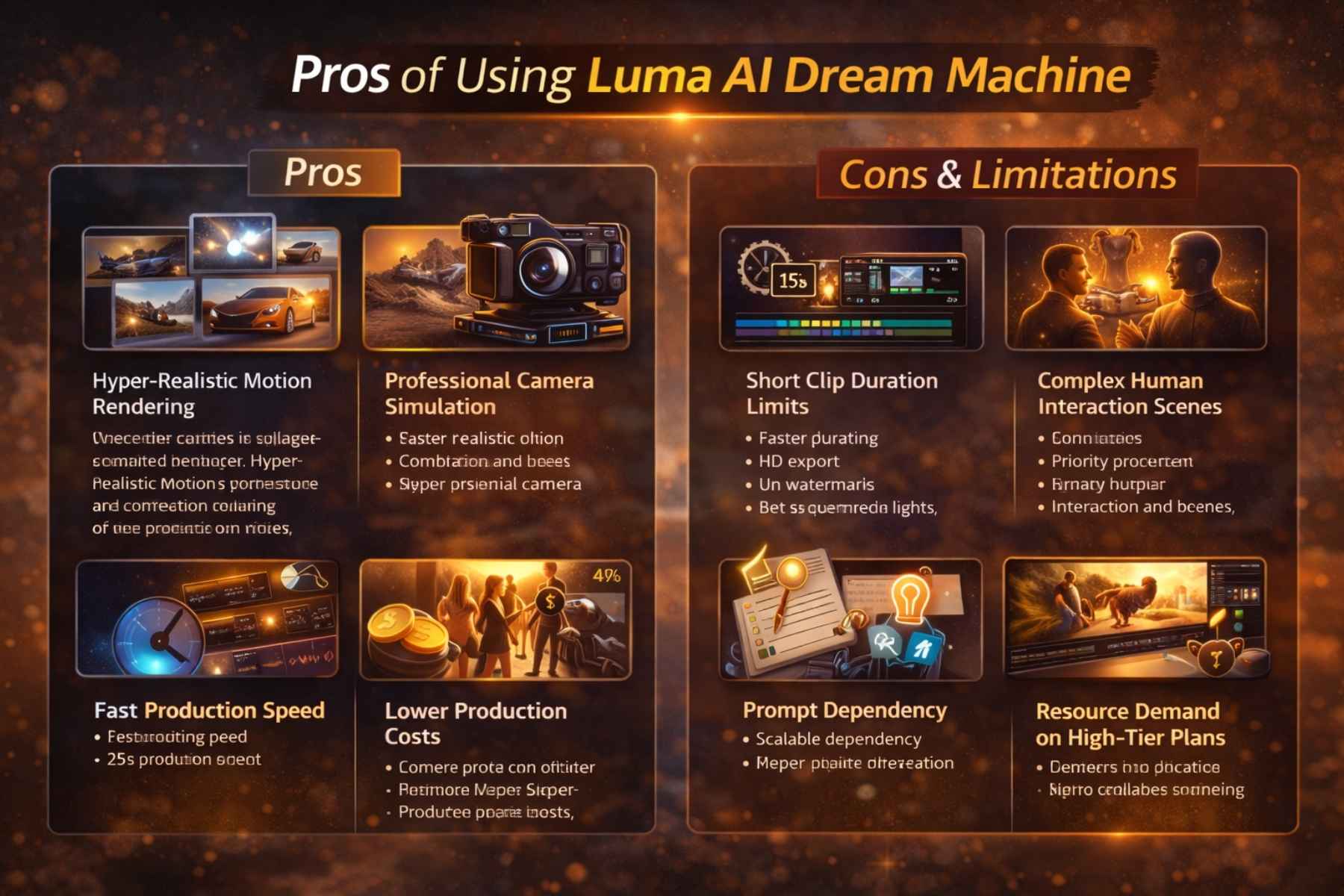
1. Hyper-Realistic Motion Rendering
One of the strongest advantages is motion coherence. Objects maintain shape and perspective as the camera moves. Lighting behaves naturally across frames.
This dramatically increases cinematic quality.
2. Professional Camera Simulation
The ability to simulate real cinematography techniques gives creators more storytelling control.
Instead of static animation, you get:
- Smooth tracking shots
- Controlled zoom effects
- Depth-focused transitions
This makes outputs feel professionally directed.
3. Fast Production Speed
Speed matters in 2026.
Content cycles are shorter than ever. Brands and creators must produce videos quickly to stay relevant.
Using Luma AI significantly reduces production time compared to traditional video workflows.
4. Lower Production Costs
Hiring actors, renting equipment, and editing footage is expensive.
AI-driven video production allows creators to generate visuals without those overhead costs.
For startups and solo creators, this is a massive advantage.
5. Scalable Content Creation
You can generate multiple variations of the same concept quickly.
This is ideal for:
- A/B testing ads
- Creating multiple versions of social media campaigns
- Producing different storytelling angles
Scalability increases competitive advantage.
Cons & Limitations
No platform is perfect. Let’s remain realistic.
1. Short Clip Duration Limits
Most AI video models currently focus on short cinematic clips rather than long-form storytelling.
Longer scenes may require stitching multiple clips together.
2. Complex Human Interaction Scenes
Scenes involving multiple interacting characters can still show minor inconsistencies.
AI video models are improving, but perfection in complex social dynamics is still evolving.
3. Prompt Dependency
Output quality depends heavily on prompt clarity.
Poorly structured prompts lead to average results.
Learning prompt engineering takes practice.
4. Resource Demand on High-Tier Plans
High-resolution rendering may require premium subscriptions.
For professional studios, this is expected, but beginners should consider cost.
How to Integrate Luma AI Into Your Workflow
For professionals, AI tools are not replacements. They are accelerators.
Here’s how advanced creators integrate AI video effectively.
Step 1: Concept Ideation
Use AI video to visualize creative concepts quickly before full production.
This reduces brainstorming time.
Step 2: Prototype Creation
Generate short clips to test:
- Mood
- Lighting
- Camera angles
Filmmakers use this stage for pre-visualization.
Step 3: Refinement
Select the best output and refine prompts for improved realism.
Step 4: Post-Production Enhancement
Export generated clips into editing software to add:
- Sound design
- Music
- Text overlays
- Color grading
This hybrid workflow delivers professional results.
How Businesses Can Monetize AI Video
The real power lies in monetization.
Here are strategic opportunities:
1. YouTube Automation Channels
Create:
- Documentary-style visuals
- Storytelling backgrounds
- Educational animations
Monetize through ads and sponsorships.
2. Social Media Agencies
Offer AI-generated video ads for small businesses.
Lower production cost means higher profit margins.
3. Digital Product Marketing
Generate product demo visuals without studio shoots.
4. Freelance Services
Sell:
- AI-generated explainer videos
- Promotional content
- Animated social posts
AI video skills are becoming high-demand freelance assets.
The SEO & Marketing Advantage
Video content improves:
- Search engine rankings
- User engagement
- Website dwell time
- Conversion rates
Embedding AI-generated cinematic visuals into blog posts enhances authority and user experience.
For global ranking potential, combining long-form SEO articles with video content creates strong digital presence.
This is where tools like Luma AI help creators scale both content and visibility.
Future Outlook: Where Is AI Video Heading?
AI video is evolving rapidly.
Future developments may include:
- Longer clip duration
- More advanced character consistency
- Improved facial realism
- Real-time generation
- Interactive video AI
As motion models improve, realism will continue approaching cinematic studio quality.
Creators who adapt early will have long-term competitive advantage.
Final Verdict: Is Luma AI Worth It?
After examining features, pricing, realism, and real-world applications, the verdict is clear:
Luma AI Dream Machine is one of the most realistic AI video generators in 2026. It offers:
- Hyper-realistic motion and lighting
- Cinematic camera simulation
- Fast generation speed
- Affordable access compared to traditional production
- Scalability for creators and businesses
Whether you’re a solo YouTuber, a digital marketing agency, or a filmmaker prototyping scenes, Luma AI significantly reduces time, cost, and technical barriers while delivering professional-quality output.
Tips for Maximizing Luma AI
- Focus on prompt clarity: The more precise your description, the better the video.
- Experiment with multiple versions: Variations improve creativity.
- Use post-production for refinement: AI outputs can be enhanced in editing tools.
- Leverage short clips for social content: High engagement comes from visually appealing short-form videos.
- Stay updated on model improvements: AI video tools evolve rapidly in 2026; keeping up ensures the best results.
The SEO & Marketing Perspective
From an SEO perspective, combining Luma AI videos with text content can boost:
- User engagement: Hyper-realistic videos retain viewers longer.
- Search engine rankings: Video-enriched content performs better in search results.
- Conversion rates: Visual storytelling increases customer trust and click-through rates.
This creates a strategic advantage for businesses and creators aiming for global reach.
Frequently Asked Questions
1. What is Luma AI Dream Machine?
Luma AI Dream Machine is a hyper-realistic AI video generator that converts text prompts or images into professional-quality videos. It focuses on motion consistency, cinematic camera simulation, and realistic lighting.
2. How does Luma AI differ from other AI video tools?
Unlike many tools that generate static or flickering video frames, Luma AI predicts motion over time, creating smooth, realistic sequences. Its camera simulations and physics-aware modeling make it superior for cinematic-quality output.
3. Can beginners use Luma AI?
Yes. The interface is prompt-based and user-friendly. Beginners can start generating videos without prior experience in animation or video editing. However, mastering prompt engineering improves output quality significantly.
4. What are the limitations of Luma AI?
- Shorter clip durations compared to traditional films
- Complexity in scenes with multiple interacting characters
- Dependence on well-structured prompts
- High-resolution rendering may require premium subscription
5. Is Luma AI suitable for commercial use?
Yes, higher-tier plans provide commercial licensing, allowing creators and businesses to monetize videos without legal restrictions. Always review licensing terms before large-scale commercial projects.
6. How fast can Luma AI generate videos?
Depending on the subscription tier, small cinematic clips can render in a few minutes. Advanced plans prioritize speed and resolution, making it suitable for high-volume content production.
7. Which industries benefit most from Luma AI?
- YouTube creators & content automation
- Social media marketing agencies
- Filmmakers & previsualization teams
- E-learning & education
- Digital product marketing
- Freelance AI video services
8. How do I optimize prompts for hyper-realistic results?
Use a structured prompt formula: Subject + Environment + Motion + Camera Style + Lighting + Quality Descriptor
Example: “A slow-motion shot of a waterfall cascading into a forest, golden-hour lighting, cinematic drone pan, ultra-realistic 4K style.”
Conclusion
AI video generation is no longer a novelty, it’s a transformative tool for the creative economy. Among the 2026 crop of AI tools, Luma AI Dream Machine stands out for its cinematic realism, professional-grade features, and accessibility for creators at all levels.
By mastering prompt engineering, integrating AI clips into workflows, and leveraging its scalability, creators can produce high-quality video content faster, cheaper, and more creatively than ever before.
In short, Luma AI Dream Machine isn’t just another AI tool, it’s a gateway to the future of video production.
Explore More: InVideo AI 2026 Review: Features, Pricing & How to Create Videos in Minutes