Artificial intelligence is rapidly transforming how digital content is created, consumed, and distributed. In recent years, the rise of AI video generation tools has reshaped the creative industry, allowing individuals and businesses to produce cinematic videos using nothing more than text prompts. Among these groundbreaking innovations, Veo 3 stands out as one of the most advanced technologies developed by Google.
Veo 3 AI represents the next generation of AI-powered video generation. Designed to convert simple text descriptions into high-quality cinematic videos, this technology has the potential to revolutionize industries such as filmmaking, marketing, education, gaming, and social media content creation.
Unlike traditional video editing tools that require extensive skills and hours of manual work, Veo 3 AI simplifies the entire process. A user can simply describe a scene for example, “a drone shot of a futuristic city at sunset with flying cars” and the AI generates a realistic video sequence within minutes.
This breakthrough signals a new era where storytelling becomes accessible to everyone. Whether you are a professional filmmaker, a digital marketer, or a content creator on YouTube, Veo 3 AI offers tools that drastically reduce production time while maintaining cinematic quality.
In this comprehensive guide, we will explore everything you need to know about Veo 3 AI, including its features, capabilities, demonstrations, benefits, limitations, and how it compares to other AI video generators available in 2026.
Why Veo 3 Is Changing Video Creation Forever
Imagine creating a full cinematic scene without a camera, actors, or production crew.
Just type a description.
Within seconds, a powerful AI engine understands your prompt, interprets the environment, lighting, motion, and storytelling elements, and then produces a stunning video clip.
That is exactly what Veo 3 AI does.
The introduction of Veo 3 AI marks a turning point in digital creativity. Previously, producing professional videos required expensive equipment, editing software, and significant technical expertise. Now, Google’s AI technology allows users to generate dynamic video sequences using natural language.
For businesses, this means faster marketing campaigns.
For filmmakers, it means unlimited creative experimentation.
For educators, it means visually engaging learning materials.
And for creators worldwide, it means turning imagination into reality faster than ever before.
What Is Veo 3 AI?
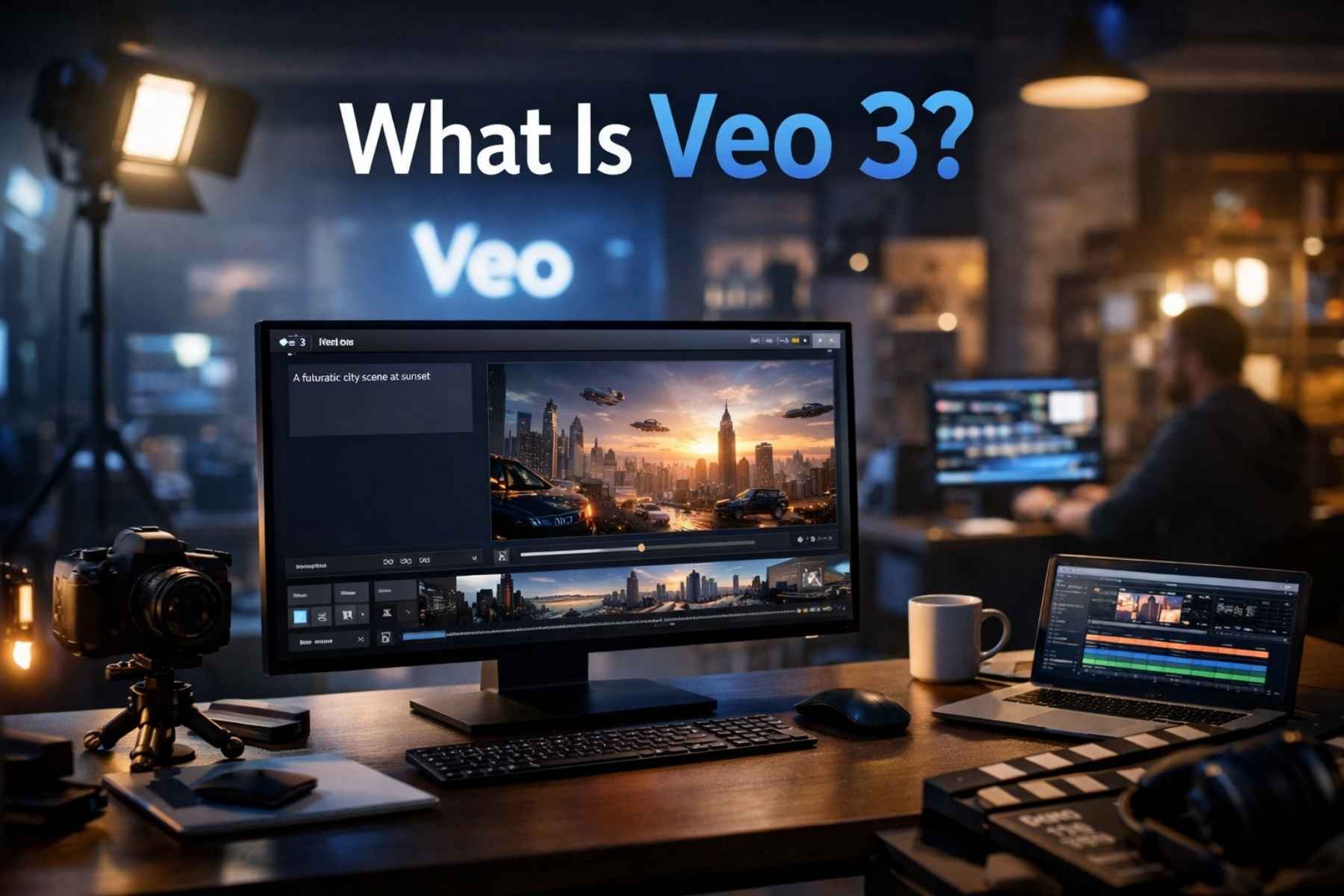
Veo 3 AI is Google’s advanced text-to-video generation model designed to create realistic and cinematic video content from written prompts. It builds on earlier AI video models but introduces significant improvements in motion accuracy, visual consistency, and storytelling capability.
Unlike simple animation tools, Veo 3 AI understands complex prompts and can generate scenes with realistic physics, lighting, and camera movement.
Key Characteristics of Veo 3 AI
• Generates high-quality videos from text prompts
• Produces cinematic camera movements
• Understands complex storytelling instructions
• Maintains visual consistency across frames
• Supports longer video sequences compared to earlier models
• Creates realistic environments and character motion
The goal of Veo 3 AI is not just to generate random clips but to allow creators to direct AI like a film director.
Users can describe details such as:
- Camera angle
- Lighting conditions
- Character actions
- Environment style
- Emotional tone
The AI then interprets the prompt and transforms it into a visually compelling video.
The Evolution of AI Video Generation
To fully understand the significance of Veo 3 AI, it’s important to look at the evolution of AI video generation technology.
Only a few years ago, AI video tools struggled to produce short clips without distortions or unrealistic motion. Early systems could only generate a few seconds of video with limited quality.
However, advancements in deep learning, diffusion models, and multimodal AI systems have dramatically improved results.
Early AI Video Models
Initial AI video generators had several limitations:
- Short video duration
- Blurry visuals
- Inconsistent motion
- Poor understanding of prompts
Despite these challenges, they laid the foundation for more powerful systems.
The Breakthrough with Modern AI Models
Recent models began improving frame consistency and scene understanding. With advanced training techniques and massive datasets, AI systems started producing videos that looked surprisingly realistic.
This technological progression ultimately led to the development of Veo 3 AI, which combines multiple AI innovations into a single powerful model.
Core Technology Behind Veo 3 AI
The strength of Veo 3 AI lies in the advanced machine learning architecture that powers it. Google uses sophisticated AI techniques to ensure that generated videos appear smooth, coherent, and visually realistic.
Diffusion-Based Video Generation
One of the main technologies used in Veo 3 AI is diffusion modeling. This process involves gradually transforming random noise into structured visual frames based on the user’s text prompt.
The AI iteratively refines the video frame by frame until it matches the prompt description.
Multimodal Understanding
Veo 3 is trained to understand both language and visual patterns. This multimodal capability allows the AI to interpret complex prompts like:
“Slow motion shot of a surfer riding a giant wave during a golden sunset.”
The model understands:
- Surfer movement
- Ocean dynamics
- Lighting conditions
- Camera motion
Temporal Consistency
One major challenge in AI video generation is maintaining consistency across frames. Veo 3 uses temporal modeling techniques to ensure that characters and objects remain stable throughout the video.
This prevents common issues such as:
- Flickering objects
- Changing facial features
- Unnatural movement
Key Features of Veo 3
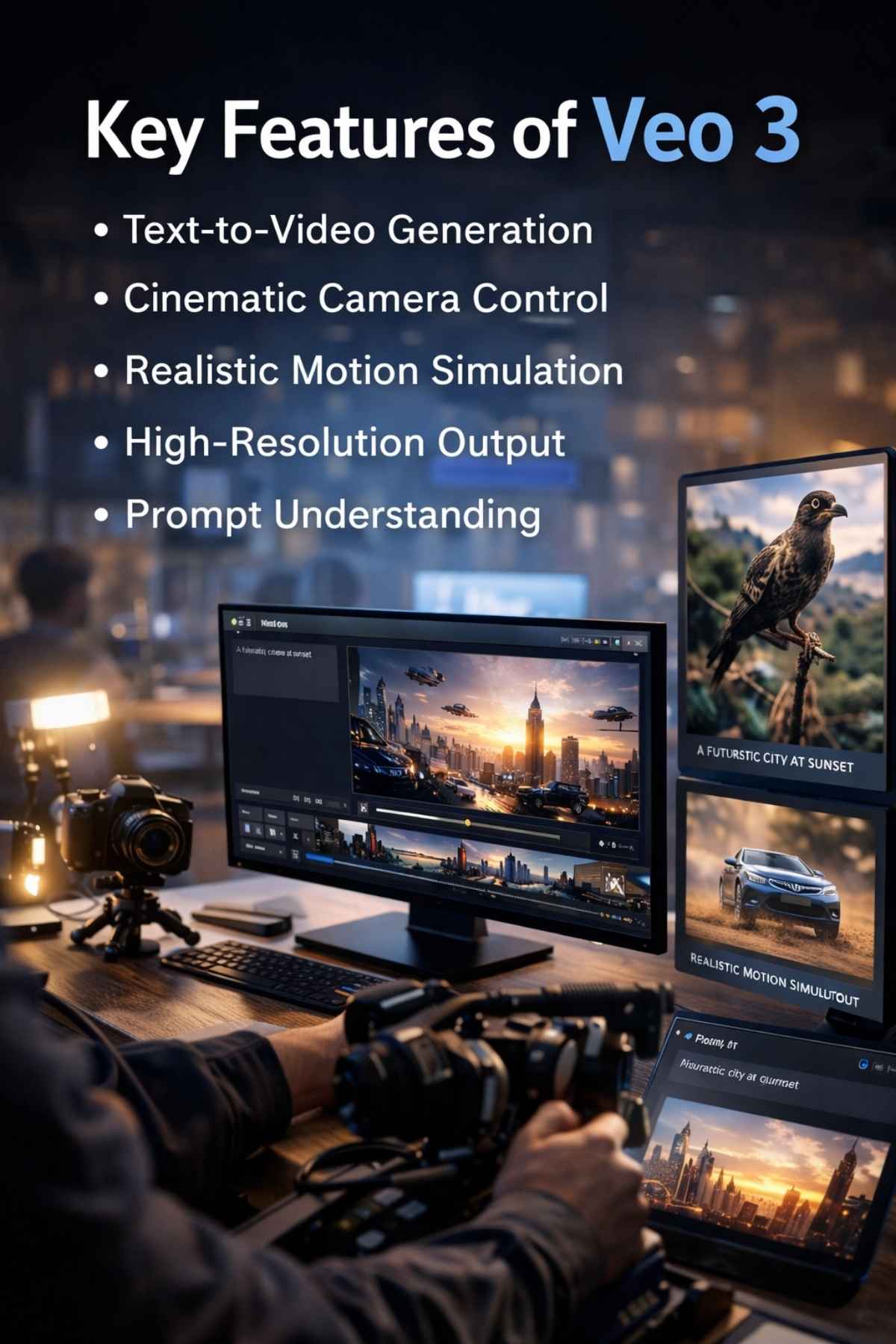
The power of Veo 3 comes from its impressive feature set. These capabilities make it one of the most advanced AI video generators currently available.
1. Text-to-Video Generation
The most notable feature of Veo 3 is its ability to transform text prompts into fully animated video scenes.
Users can describe virtually any scenario, and the AI generates the corresponding visuals.
Example prompt: “A cinematic aerial shot of a snowy mountain range at sunrise with clouds slowly moving through the valley.”
Within moments, the AI creates a dynamic video clip matching the description.
2. Cinematic Camera Control
Unlike basic video generators, Veo 3 supports complex camera instructions such as:
- Drone shots
- Slow zoom
- Tracking shots
- Wide cinematic angles
This feature gives creators more control over how scenes appear.
3. Realistic Motion Simulation
One of the most impressive improvements in Veo 3 is realistic motion generation.
The AI simulates:
- Natural human movement
- Environmental physics
- Object interactions
This makes generated videos look more natural and believable.
4. High-Resolution Output
Many early AI video tools produced low-resolution content. Veo 3, however, focuses on higher resolution outputs suitable for professional use.
This makes the videos usable for:
- Marketing campaigns
- Social media
- YouTube content
- Film concept creation
5. Prompt Understanding
Another powerful feature of Veo 3 is its deep prompt comprehension.
The AI can interpret descriptive language including:
- Emotional tone
- Art style
- Lighting effects
- Cinematic perspective
This allows users to create highly customized video content.
Why Veo 3 Matters for Creators
The introduction of Veo 3 is not just another AI release — it represents a shift in how digital content will be produced in the future.
Content creation is becoming faster, cheaper, and more accessible.
Creators who previously lacked resources to produce professional video content can now generate high-quality visuals using AI.
This technology opens doors for:
- Independent filmmakers
- Small businesses
- Online educators
- Digital marketers
- Content creators
As AI tools continue evolving, Veo 3 could become a central platform for video storytelling worldwide.
Veo 3 Demo: What Can This AI Actually Create?
One of the most exciting aspects of Veo 3 is its ability to generate highly realistic and cinematic video scenes from simple prompts. Google has demonstrated several examples showing how powerful this technology can be.
Unlike earlier AI video tools that produced short and inconsistent clips, Veo 3 is capable of generating videos with smoother motion, better scene understanding, and more accurate prompt interpretation.
Example Demo Prompts
Below are some examples of prompts that Veo 3 can interpret and convert into realistic video scenes.
Example 1
Prompt: “A cinematic drone shot flying over a futuristic city at night with glowing skyscrapers and flying cars.”
Generated Result:
The AI produces a wide-angle aerial view showing a vibrant futuristic skyline. The lights from skyscrapers reflect across the city, while small flying vehicles move naturally through the air.
Example 2
Prompt: “A slow-motion video of ocean waves crashing on a tropical beach during sunset.”
Generated Result:
The video shows warm sunlight reflecting on the ocean surface while waves roll slowly toward the shore. The motion appears smooth and visually cinematic.
Example 3
Prompt: “A medieval knight walking through a misty forest with sunlight shining through the trees.”
Generated Result:
The generated clip includes atmospheric fog, detailed forest textures, and natural lighting effects that create a cinematic storytelling environment
These examples highlight the powerful capabilities of Veo 3 in understanding both visual context and storytelling elements.
How to Use Veo 3: Step-by-Step Guide
Although Veo 3 is still evolving, the process of using it is expected to be relatively simple. Google designed the system to allow creators to generate videos without complex technical skills.
Here is a simplified step-by-step process for using Veo 3.
Step 1: Access the Veo 3 Platform
Users will typically access Veo 3 through Google’s AI platforms such as:
- Google AI Studio
- Video creation tools integrated with Google products
- Future creative platforms powered by Google AI
Once logged in, users can start creating prompts for video generation.
Step 2: Write a Detailed Prompt
The most important part of generating high-quality videos with Veo 3 is writing a clear and descriptive prompt.
The AI relies heavily on the information provided by the user. A well-written prompt will produce better results.
Example of a Good Prompt
“Cinematic shot of a snowy mountain landscape at sunrise with clouds slowly drifting through the valley, captured with a drone camera.”
This prompt includes:
- Environment description
- Time of day
- Camera style
- Visual atmosphere
The more details you provide, the better the AI understands your request.
Step 3: Select Video Settings
In some versions of Veo 3, users may be able to adjust settings such as:
- Video length
- Resolution
- Frame style
- Camera motion
These settings help refine the final output.
Step 4: Generate the Video
After entering the prompt and selecting the settings, the AI begins generating the video.
The system processes the prompt using deep learning models and produces a sequence of frames that form the final video.
Depending on complexity, generation may take a few seconds to a few minutes.
Step 5: Review and Edit
Once the video is generated, users can review the result and make improvements.
Common adjustments include:
- Changing the prompt wording
- Adjusting camera angles
- Modifying lighting or environment details
This iterative process helps creators achieve their desired output.
Prompt Engineering for Veo 3
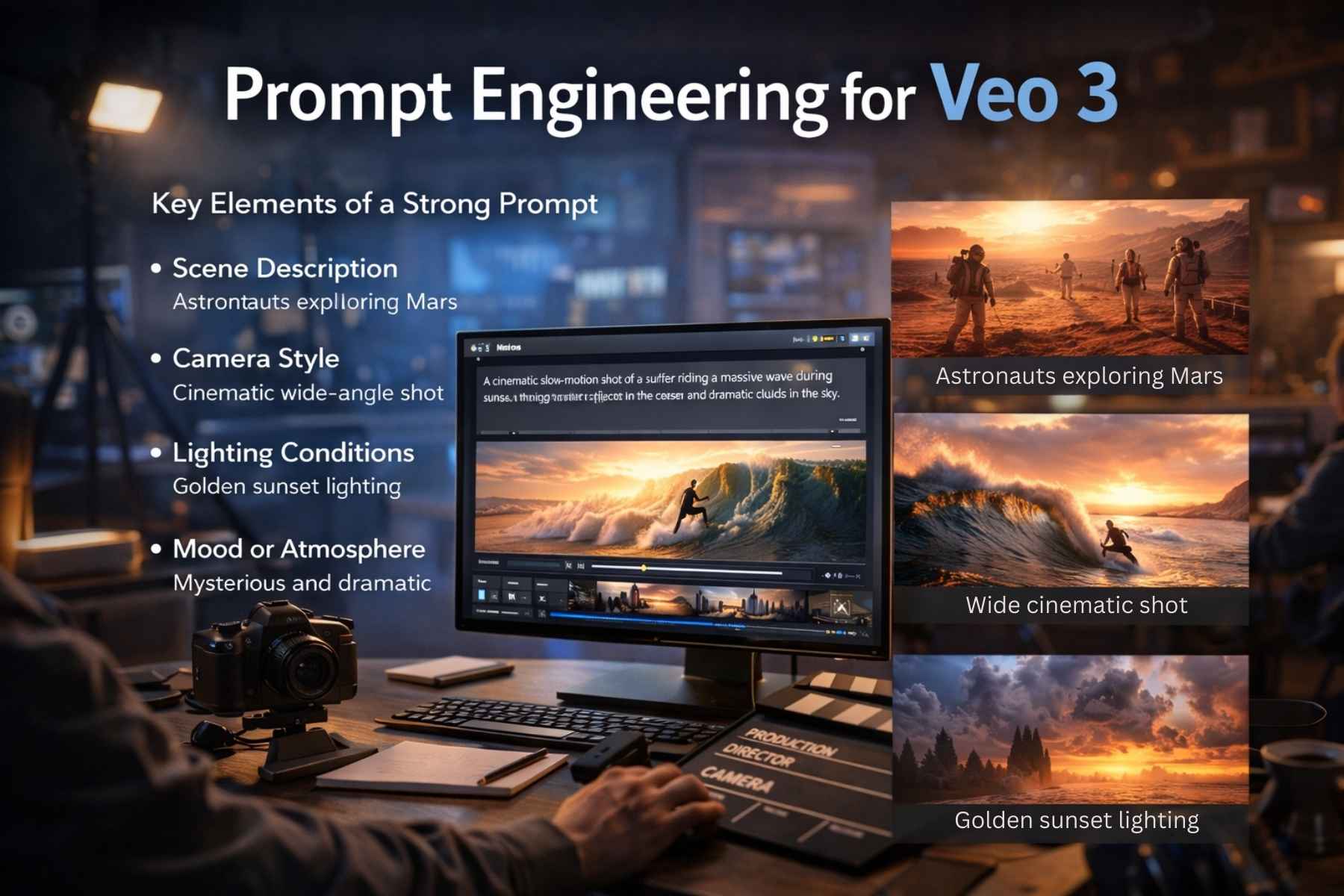
Creating high-quality AI videos requires understanding how to write effective prompts. This skill is often referred to as prompt engineering.
For Veo 3, good prompts usually include multiple layers of detail.
Key Elements of a Strong Prompt
- Scene Description
Explain what is happening in the video.
Example: “A group of astronauts exploring the surface of Mars.”
- Camera Style
Specify how the scene should be filmed.
Example: “Wide cinematic shot with slow camera movement.”
- Lighting Conditions
Lighting plays a major role in visual realism.
Example: “Golden sunset lighting with long shadows.”
- Mood or Atmosphere
The emotional tone of the scene can also influence results.
Example: “A mysterious and dramatic atmosphere.”
Example of a Full Prompt
“A cinematic slow-motion shot of a surfer riding a massive wave during sunset, with golden light reflecting on the ocean and dramatic clouds in the sky.”
Prompts like this allow Veo 3 to generate more immersive visuals.
Advanced Features of Veo 3
Beyond basic text-to-video generation, Veo 3 introduces several advanced capabilities that make it stand out among AI video tools.
Scene Consistency
Earlier AI video tools struggled with visual consistency across frames. Objects would change shape or move unpredictably.
Veo 3 improves scene consistency by maintaining stable characters, objects, and environments throughout the video.
Complex Motion Handling
Generating realistic motion has been one of the biggest challenges in AI video creation.
Veo 3 improves motion accuracy by simulating real-world physics and natural movement patterns.
Examples include:
- Walking characters
- Flowing water
- Moving clouds
- Flying objects
Long Video Generation
Many AI tools only generate short clips lasting a few seconds.
Veo 3 aims to generate longer sequences while maintaining visual stability. This makes it more useful for storytelling and professional content creation.
Style Control
Creators may also be able to control the visual style of generated videos.
Possible styles include:
- Cinematic film style
- Animation style
- Documentary style
- Realistic photography style
This flexibility allows Veo 3 to serve multiple creative industries.
Industries That Can Benefit from Veo 3
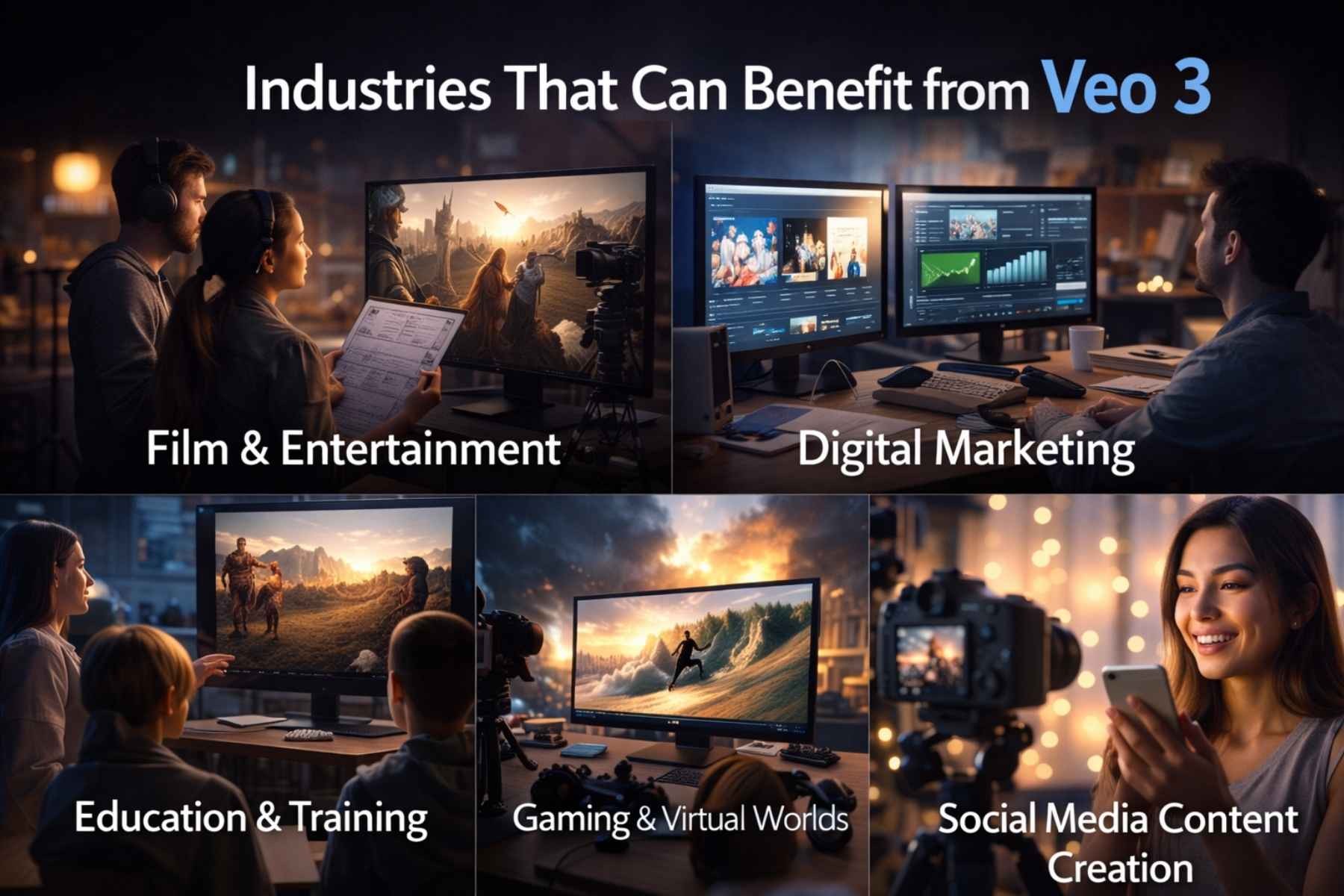
The potential applications of Veo 3 extend across many industries. As AI video technology becomes more advanced, businesses and creators are discovering new ways to use it.
Film and Entertainment
Filmmakers can use Veo 3 for:
- Storyboarding scenes
- Previsualization
- Concept trailers
- Creative experimentation
This significantly reduces production costs.
Digital Marketing
Marketing teams can quickly generate promotional videos for:
- Products
- Social media campaigns
- Brand storytelling
Instead of hiring large production teams, marketers can create visuals with AI.
Education and Training
Educators can use Veo 3 to produce visual learning materials such as:
- Historical recreations
- Science demonstrations
- Animated explanations
These visuals can improve student engagement and understanding.
Gaming and Virtual Worlds
Game developers may use Veo 3 to generate environmental scenes, cinematic cutscenes, and promotional trailers.
AI-generated visuals can accelerate game development workflows.
Social Media Content Creation
Platforms like YouTube, TikTok, and Instagram rely heavily on video content. Veo 3 allows creators to generate visually appealing videos quickly, helping them stay competitive in fast-paced digital environments.
Veo 3 vs Other AI Video Generators
As AI video generation technology evolves, several platforms are competing to deliver the most powerful tools for creators. However, Veo 3 has positioned itself as one of the most advanced systems in this space due to Google’s extensive AI research and infrastructure.
To understand the impact of Veo 3, it is useful to compare it with other popular AI video generation tools available in 2026.
1. Veo 3 vs OpenAI Sora
OpenAI’s Sora is another well-known AI video generator capable of transforming text prompts into video scenes. While Sora has impressive capabilities, Veo 3 focuses heavily on cinematic quality and motion realism.
Key differences include:
Video Length
Many AI video models generate only short clips. Veo 3 aims to generate longer sequences with improved temporal stability.
Camera Control
One of the major advantages of Veo 3 is its ability to interpret cinematic camera instructions such as tracking shots, drone perspectives, and dynamic zoom effects.
Scene Consistency
AI video models often struggle with maintaining object consistency across frames. Veo 3 introduces improved frame coherence, making characters and environments appear more stable.
2. Veo 3 vs Runway AI
Runway AI is a popular platform used by many creators for generating AI videos and visual effects. While Runway offers impressive tools, Veo 3 brings deeper integration with Google’s AI ecosystem.
Comparison highlights:
Prompt Understanding
Veo 3 demonstrates stronger prompt comprehension due to advanced natural language processing capabilities.
Visual Realism
Runway AI produces creative videos but sometimes struggles with highly realistic scenes. Veo 3 emphasizes cinematic realism and detailed environments.
Future Integration
Because Veo 3 is developed by Google, it may eventually integrate with platforms like YouTube, Google Cloud, and other creative tools.
3. Veo 3 vs Pika Labs
Pika Labs is known for generating quick AI video clips from prompts. However, it is mainly focused on short-form content.
In comparison:
Veo 3 Advantages
• More advanced scene generation
• Better camera control
• Higher visual realism
• Potential for longer storytelling sequences
This makes Veo 3 particularly appealing for professional creators and filmmakers.
Advantages of Veo 3
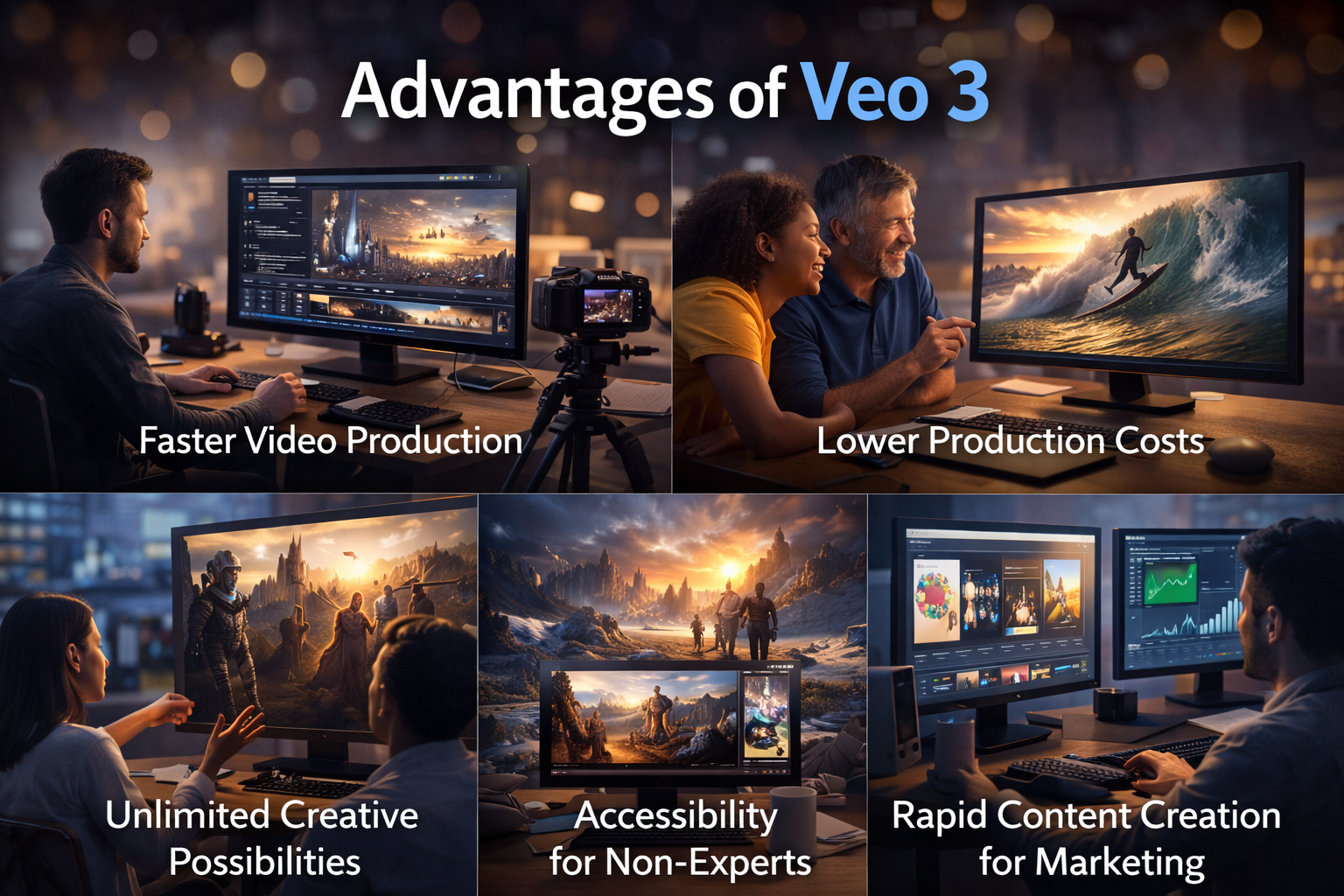
The rise of Veo 3 introduces many benefits for creators, businesses, and developers. These advantages highlight why this technology is receiving so much attention worldwide.
1. Faster Video Production
Traditional video production requires planning, filming, editing, and post-production processes. This workflow can take days or even weeks.
With Veo 3, creators can generate visual scenes within minutes simply by describing them in text form.
This drastically reduces the time required to produce content.
2. Lower Production Costs
Professional video production often requires expensive equipment, actors, locations, and editing software.
Veo 3 eliminates many of these costs by generating scenes digitally using artificial intelligence.
Small businesses and independent creators can now produce high-quality videos without large budgets.
3. Unlimited Creative Possibilities
One of the most exciting aspects of Veo 3 is the ability to create scenes that would normally be impossible or extremely expensive to film.
Examples include:
• Futuristic cities
• Space exploration scenes
• Fantasy worlds
• Historical recreations
AI allows creators to explore ideas that previously required massive production budgets.
4. Accessibility for Non-Experts
Not everyone has experience with video editing software or filmmaking techniques.
Veo 3 AI simplifies the entire process. Users only need to describe their idea using natural language.
The AI handles the complex technical aspects of generating the video.
5. Rapid Content Creation for Marketing
Businesses often need large volumes of video content for marketing campaigns.
Veo 3 AI enables companies to generate promotional videos quickly, allowing them to respond faster to market trends and audience interests.
Limitations of Veo 3
Although Veo 3 AI represents a major technological breakthrough, it is important to recognize that AI video generation still has limitations.
Understanding these challenges helps set realistic expectations.
1. Prompt Dependence
The quality of AI-generated videos depends heavily on the prompt provided by the user.
Poorly written prompts may produce unclear or inaccurate results.
Learning prompt engineering techniques is essential for achieving the best results with Veo 3 AI.
2. Rendering Time
While AI video generation is faster than traditional filmmaking, generating complex scenes may still require processing time.
High-quality outputs can take longer to generate depending on the complexity of the prompt.
3. Ethical Concerns
As AI video technology becomes more powerful, ethical questions arise regarding misinformation and deepfake content.
Developers of Veo 3 AI must implement safeguards to prevent misuse.
4. Limited Human Emotion Accuracy
Although AI models are improving, they still struggle to perfectly capture subtle human expressions and emotional nuances.
Future versions of Veo 3 AI may improve these aspects.
Impact of Veo 3 on the Creative Industry
The introduction of Veo 3 AI is expected to have a profound impact on the global creative industry.
Content production is becoming increasingly automated, enabling creators to experiment with ideas more freely.
Film studios, marketing agencies, and independent creators are likely to adopt AI video tools as part of their workflow.
Rather than replacing human creativity, Veo 3 AI amplifies it by removing technical barriers and allowing creators to focus on storytelling.
This shift could lead to an explosion of creative content across the internet.
Real-World Use Cases of Veo 3
The rise of Veo 3 AI is not just a technological breakthrough; it is already shaping how different industries approach video production and digital storytelling. Because Veo 3 AI can generate high-quality video scenes from simple prompts, its real-world applications are expanding rapidly.
Below are some of the most impactful use cases.
1. Film Pre-Visualization
Film studios spend significant time and money visualizing scenes before filming begins. Directors often create storyboards, concept art, and rough animations to plan their shots.
With Veo 3 AI, filmmakers can instantly generate cinematic previews of scenes using text prompts.
For example, a director might type:
“A dramatic aerial shot of a spaceship approaching a futuristic city at night.”
Within minutes, Veo 3 AI can produce a visual concept that helps directors plan camera angles, lighting, and environment design.
This speeds up the filmmaking process while reducing production costs.
2. YouTube and Social Media Content
Video content dominates social media platforms such as YouTube, TikTok, and Instagram. Creators constantly need fresh visuals to keep their audiences engaged.
Veo 3 AI allows creators to generate original video content without expensive equipment or editing software.
For instance, a YouTuber could generate:
• Background scenes for storytelling videos
• Visual explanations for educational content
• AI-generated cinematic clips for intros
This makes Veo 3 AI an extremely valuable tool for modern content creators.
3. Digital Advertising and Marketing
Marketing campaigns increasingly rely on video to capture audience attention. Businesses need engaging promotional content for:
• Product launches
• Social media ads
• Brand storytelling
• Online campaigns
Traditionally, producing marketing videos required a large production team. However, Veo 3 AI enables marketers to generate creative visuals quickly.
Companies can experiment with multiple video concepts without spending large budgets on production.
4. Education and Online Learning
Educational content becomes far more engaging when visual elements are included.
Teachers and educators can use Veo 3 AI to create educational video scenes such as:
• Historical recreations
• Scientific simulations
• Geography visualizations
• Animated storytelling lessons
This helps students better understand complex topics through visual learning.
5. Game Development
Game developers often need cinematic trailers and environmental scenes to promote their projects.
Using Veo 3 AI, developers can quickly generate:
• Game trailer visuals
• Cinematic cutscenes
• Fantasy landscapes
• Character introductions
This accelerates the game development workflow and improves marketing efficiency.
Best Prompt Examples for Veo 3
One of the most important skills when using Veo 3 AI is writing detailed prompts. The more descriptive your prompt is, the better the AI can understand the scene you want to create.
Below are some high-quality prompt examples that demonstrate the capabilities of Veo 3 AI.
Example Prompt 1
“A cinematic drone shot flying over a tropical island with turquoise water, white sandy beaches, and palm trees swaying in the wind during golden sunset.”
This prompt includes:
• Camera movement
• Environment details
• Lighting conditions
• Atmosphere
Example Prompt 2
“A futuristic cyberpunk city at night with neon lights reflecting on wet streets while flying cars move between skyscrapers.”
This prompt creates a strong visual style and setting.
Example Prompt 3
“Slow-motion shot of a majestic eagle flying across a snowy mountain range during sunrise.”
This prompt focuses on motion, subject, and environment.
Example Prompt 4
“A medieval castle surrounded by fog on a dramatic cloudy evening with lightning flashing in the sky.”
This prompt creates a cinematic and atmospheric scene.
Tips to Get the Best Results from Veo 3
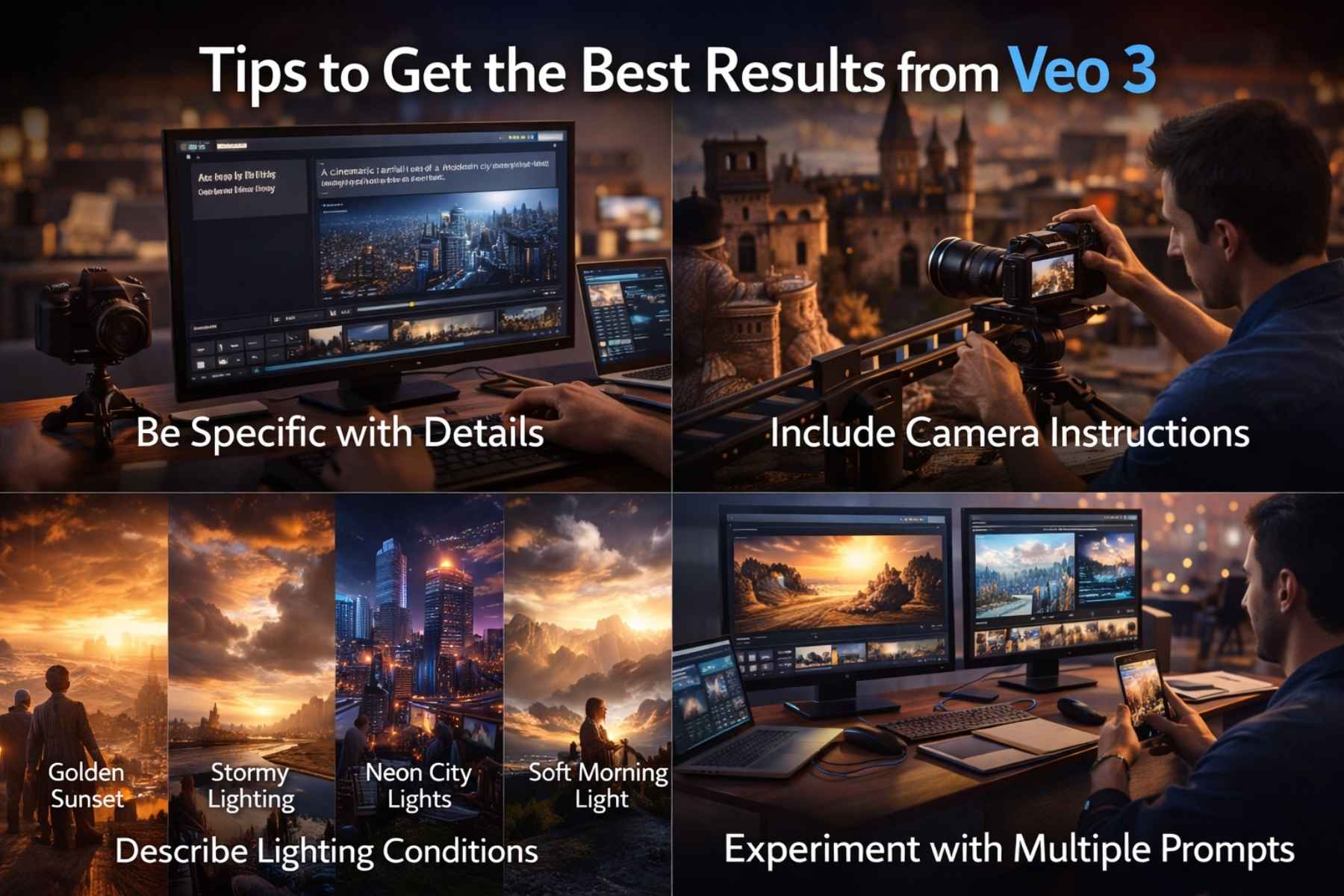
Although Veo 3 AI is extremely powerful, achieving the best results requires understanding how to interact with AI systems effectively.
Here are some expert tips.
Be Specific with Details
Instead of writing a vague prompt like:
“A city at night.”
Try a more detailed version: “A cinematic aerial shot of a modern city skyline at night with glowing skyscrapers and moving traffic.”
Detailed prompts help Veo 3 AI generate more accurate results.
Include Camera Instructions
Professional videos often rely on camera movement to create cinematic effects.
You can include instructions such as:
• Drone shot
• Close-up shot
• Slow zoom
• Tracking shot
• Wide cinematic angle
Adding camera details improves the visual storytelling of your generated video.
Describe Lighting Conditions
Lighting dramatically influences the mood of a scene.
Common lighting descriptions include:
• Golden sunset lighting
• Dramatic storm lighting
• Soft morning sunlight
• Neon city lights
These descriptions help Veo 3 AI produce more visually appealing results.
Experiment with Multiple Prompts
Sometimes the first generated video may not match your vision perfectly.
Experiment with different prompt variations to achieve better outcomes.
This iterative process helps creators refine their ideas.
SEO Benefits of AI Video Content
The rise of AI tools like Veo 3 AI also impacts digital marketing and search engine optimization.
Video content plays an increasingly important role in search rankings and user engagement.
Here are some key SEO advantages.
Higher Engagement Rates
Videos often keep users on a webpage longer than text alone. This increased engagement can improve website performance metrics such as dwell time.
Using Veo 3 AI to create engaging visuals can help websites retain visitors longer.
Better Social Media Reach
Videos are more likely to be shared on social media platforms compared to static images or text posts.
AI-generated videos created with Veo 3 AI can significantly increase social media visibility.
Improved Brand Authority
Businesses that consistently produce high-quality video content appear more professional and authoritative.
Using tools like Veo 3 allows companies to publish visual content more frequently.
Faster Content Production
Traditional video creation can be time-consuming. With Veo 3 AI, marketers can produce visual content much faster, enabling them to keep up with trending topics and audience interests.
Why Veo 3 Is a Game-Changer
The development of Veo 3 AI represents a major shift in how digital content will be created in the future.
Instead of relying solely on cameras and physical production environments, creators can now generate entire video scenes using artificial intelligence.
This technology democratizes video production by making powerful creative tools accessible to anyone with an idea.
As AI continues evolving, platforms like Veo 3 AI could redefine the global creative industry.
The Future of Veo 3 AI and AI Video Technology
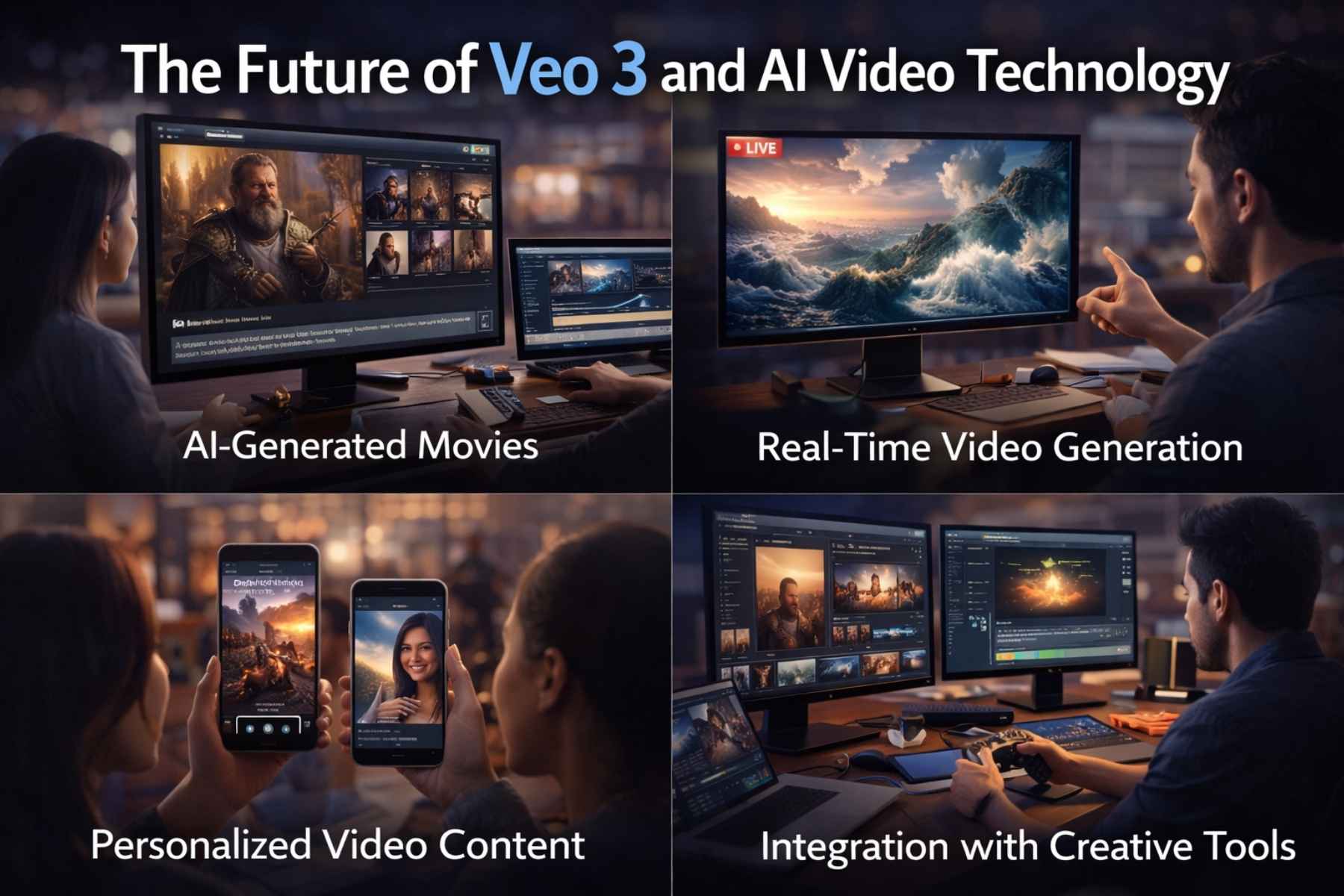
Artificial intelligence is evolving rapidly, and video generation technology is expected to improve dramatically in the coming years.
Tools like Veo 3 AI represent just the beginning of what AI-powered content creation can achieve.
Several future developments are likely.
AI-Generated Movies
As AI video models become more advanced, it may eventually become possible to generate entire short films or animated stories using AI.
Creators could describe scenes, characters, and dialogue, while systems like Veo 3 AI generate the visuals.
Real-Time Video Generation
Future versions of Veo 3 AI may generate videos instantly in real time. This would allow creators to experiment with ideas and see results immediately.
Such technology could transform industries such as advertising, gaming, and live content creation.
Personalized Video Content
AI systems may also create personalized videos tailored to individual viewers.
For example, marketing campaigns could generate customized promotional videos for different audiences.
Integration with Creative Tools
Veo 3 AI may eventually integrate with various creative platforms, including video editing software, game development tools, and digital design applications.
This integration would streamline workflows and allow creators to combine AI-generated visuals with traditional editing techniques.
Frequently Asked Questions
1. What is Veo 3 AI?
Veo 3 is an advanced AI-powered text-to-video generation model developed by Google. It allows users to create realistic and cinematic videos by simply describing scenes using natural language prompts.
Instead of recording footage with cameras, users can generate video clips by typing detailed descriptions such as environments, lighting, camera movement, and character actions.
2. How does Veo 3 work?
Veo 3 works using advanced machine learning models trained on large datasets of video and visual content. The system analyzes text prompts provided by the user and converts them into video frames.
The process involves:
- Understanding the text prompt
- Generating visual frames using diffusion models
- Maintaining temporal consistency between frames
- Rendering the final video output
This technology allows Veo 3 to produce visually coherent and realistic video sequences.
3. Is Veo 3 better than other AI video generators?
While several AI video tools exist, Veo 3 stands out due to its cinematic quality, motion accuracy, and advanced prompt interpretation.
Compared with many earlier AI video systems, Veo 3 offers:
• Improved scene consistency
• More realistic motion
• Better understanding of complex prompts
• Higher video quality output
These features make it one of the most promising AI video generators available.
4. Who can use Veo 3?
Veo 3 is designed for a wide range of users, including:
• Content creators
• Filmmakers
• Digital marketers
• Educators
• Game developers
• Businesses creating promotional content
Because the tool works through simple text prompts, even beginners can generate video content without technical expertise.
5. Can Veo 3 replace traditional video production?
Although Veo 3 can significantly speed up video creation, it is unlikely to completely replace traditional filmmaking.
Professional film production involves many creative elements such as acting, directing, cinematography, and storytelling.
Instead, Veo 3 is best seen as a powerful tool that enhances creativity and helps creators visualize ideas faster.
6. Is Veo 3 available to the public?
The availability of Veo 3 may vary depending on Google’s release strategy. Some AI tools are initially introduced through research previews or limited access programs.
Over time, Veo 3 may become integrated into broader creative platforms or developer tools.
7. What industries will benefit most from Veo 3?
Several industries are expected to benefit significantly from Veo 3, including:
• Film and entertainment
• Digital marketing
• Online education
• Gaming
• Social media content creation
These industries rely heavily on visual storytelling, making AI-generated video technology extremely valuable.
Conclusion
The development of Veo 3 represents a significant milestone in the evolution of artificial intelligence and digital creativity.
By transforming simple text prompts into cinematic video scenes, Veo 3 AI dramatically lowers the barrier to video production. What once required expensive equipment, professional crews, and extensive editing skills can now be accomplished with a well-written prompt.
For creators, businesses, and educators, this technology opens new possibilities for storytelling and communication.
Instead of replacing human creativity, Veo 3 AI empowers creators to bring their ideas to life faster and more efficiently.
As AI continues to evolve, tools like Veo 3 AI will likely become an essential part of the creative workflow. From independent filmmakers to global marketing agencies, the ability to generate high-quality video content using artificial intelligence will transform how stories are told in the digital age.
The future of video creation is not just about cameras and editing software anymore.
It is about imagination and the power of AI tools to turn ideas into reality.
Explore More: Kling AI Review 2026: Is This the Most Realistic AI Video Tool?